Localflux icon
Localflux icon

Localflux

A private, native, local first file converter for Windows that converts images, videos, and documents instantly with no uploads and no accounts.

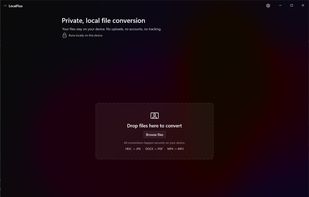
Localflux screenshot 1

Cost / License

  • Pay once
  • Proprietary

Platforms

  • Windows
0likes
0comments
0articles

Features

Properties

  1.  Privacy focused
  2.  Lightweight

Features

  1.  No Tracking
  2.  Dark Mode
  3.  Ad-free
  4.  No registration required
  5.  Hardware Accelerated
  6.  Batch Editing
  7.  Works Offline
  8.  Support for 4K
  9.  Image Conversion
  10.  Offline
  11.  Desktop Application
  12.  Video Converter
  13.  Native application
  14.  Audio Conversion

Localflux News & Activities

Highlights All activities

Recent activities

Localflux information

  • Developed by

    Fuzzysense
  • Licensing

    Proprietary and Commercial product.
  • Pricing

    One time purchase (perpetual license) that costs $20.
  • Alternatives

    14 alternatives listed
  • Supported Languages

    • English
Localflux was added to AlternativeTo by snowpixel on and this page was last updated .
No comments or reviews, maybe you want to be first?

What is Localflux?

LocalFlux is a privacy-first, native Windows desktop app designed to handle all your file conversion needs locally. In an era where most file converters force you to upload sensitive documents to web servers, endure slow download speeds, or hit restrictive file-size paywalls, LocalFlux brings powerful conversion engines directly to your PC.

100% Private & Offline Your files never leave your computer. There are no cloud uploads, no required accounts, and absolutely zero telemetry. Whether you are handling confidential documents or massive folders of raw video, your data stays safely on your hard drive.

Ready Out of the Box You don't need to hunt down complex command-line tools. LocalFlux comes with industry-standard runtimes natively bundled into the app—including ImageMagick (for images), FFmpeg (for audio/video), and LibreOffice (for documents). It works immediately upon installation.

Key Features:

• Drag & Drop: Easily add files by dragging them into the app, or use the Windows Explorer right-click context menu for instant conversions. • Hardware Optimized: LocalFlux uses bounded parallel processing to quickly run batch conversions without freezing your system. • Safe File Handling: Original files are never overwritten, and any conversion failures are explained in simple, plain-English messages.

LocalFlux is the ultimate bloat free utility for Windows users who want fast, reliable, and completely private file conversions.

Official Links