LingoMingo is a free, open-source browser extension that turns YouTube into a place to learn languages.
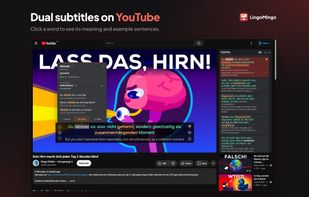
Watch with two subtitles at once: the language you are learning, and your own language right below it. Replay any line, let the video pause after each line, follow the full transcript next to the video, or hide the translation to test yourself. Every main action has a keyboard shortcut.
Click any word to see what it means in that sentence, with example sentences and pronunciation. Tell LingoMingo your level once, and it colors the words you already know and the words worth learning next.
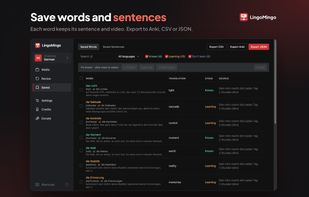
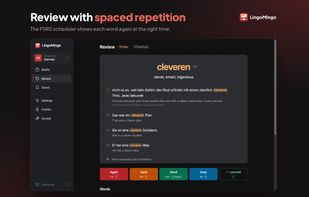
Save words and whole lines with one click. Each saved word keeps its sentence and source video. Review them with spaced-repetition flashcards (FSRS), or export them to other flashcard apps.
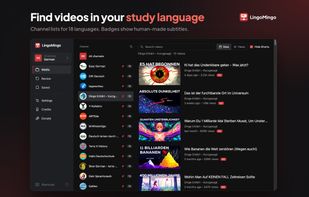
The Media page shows the newest videos from hand-picked YouTube channels in 18 languages, and marks the videos that have human-made subtitles.
Word meanings, example sentences and missing subtitle translations come from the AI service you choose (Claude, OpenAI, Gemini, DeepSeek, Grok or OpenRouter) with your own key, or from a local model with Ollama or llama.cpp.
No account, no ads, no tracking. Your words and settings stay in your browser, with optional backup and Google Drive sync.











No comments or reviews, maybe you want to be first?