
LingoBar icon
LingoBar icon

LingoBar

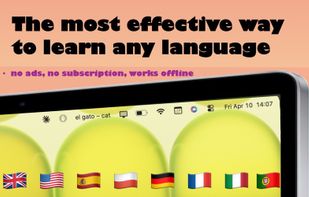
Mac app for language learning. It lives in your menu bar. Learn Spanish, English, Polish and other languages every time you check the time.
LingoBar screenshot 1

Cost / License

  • Freemium (Pay once)
  • Proprietary

Platforms

  • Mac
0likes
0comments
0articles

Features

Properties

  1.  Privacy focused
  2.  Lightweight
  3.  Customizable

Features

  1.  No registration required
  2.  No Tracking
  3.  Ad-free
  4.  Dark Mode
  5.  Works Offline
  6.  Sits in the MenuBar

LingoBar News & Activities

Highlights All activities

Recent activities

LingoBar information

  • Developed by

    Igor Siedlarski
  • Licensing

    Proprietary and Freemium product.
  • Pricing

    One time purchase (perpetual license) that costs $2 + free version with limited functionality.
  • Alternatives

    51 alternatives listed
  • Supported Languages

    • English
    • Polish

AlternativeTo Category

Education & Reference
LingoBar was added to AlternativeTo by Paul on and this page was last updated .
No comments or reviews, maybe you want to be first?

What is LingoBar?

Learn English, Spanish, Polish, German, French, Italian, Portuguese the effortless way - one word at a time, right in your menu bar.

LingoBar sits quietly at the top of your screen and shows you a new word every few minutes. No pop-ups. No streaks. No guilt. Just vocabulary, building up naturally as you work, browse, or do anything on your Mac.

HOW IT WORKS

Every time you glance at your menu bar — which happens dozens of times a day — you see a new word. Want to test yourself? Keep the translation hidden and click to reveal it. Prefer to see both at once? Toggle it on. Your learning, your way. You can always click to hear the correct pronunciation!

WHY IT WORKS

Most language apps demand your attention. LingoBar doesn't. It uses passive exposure and active recall — two techniques proven to build long-term memory — without ever pulling you away from what you're doing. Over days and weeks, you'll be surprised how much vocabulary sticks.

FEATURES

  • Pure menu bar app — no Dock icon, no windows, no clutter
  • Click to reveal translation — like a mini quiz, every time
  • Show translation mode — see the word and meaning side by side
  • Favorites — save words you want to focus on, browse your personal list anytime
  • 2 levels: Beginner and Advanced categories
  • Adjustable interval — 1, 5, 10, 30, or 60 minutes
  • Add your own words
  • Mark the words you already know so they don't reappear
  • Move the icon anywhere — hold ? and drag
  • Zero ads — not even in the free version
  • Zero data collection — everything stays on your Mac
  • No account required

LingoBar Videos

Official Links