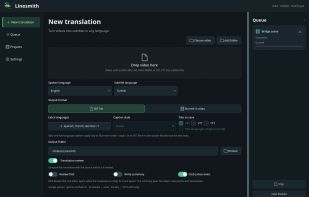
Linesmith is a desktop app for Windows and Linux that subtitles, translates and dubs videos.
Speech recognition runs locally with Whisper or Parakeet; existing SRT, VTT or ASS files and MKV text tracks can be used instead. Translation goes through the AI service the user chooses (Google Gemini, OpenAI, Anthropic Claude, DeepSeek, Mistral, Groq, OpenRouter) or a local model in Ollama or LM Studio. Linesmith checks the translation against the original, and every line can be edited next to the source before export.
Exports: SRT, VTT, plain text, burned-in subtitles in three styles, or a dubbed video. For dubbing, the voice is separated from music and ambient sound, each speaker gets their own voice (Google Gemini, ElevenLabs, OpenAI or Azure), each line is placed at its original time, and the original audio is kept as a second track.
Video files are processed on the computer. Subtitle text is sent to the chosen AI service; with Gemini dubbing, short clips of the original speech are sent too so the new voice can follow the delivery, and creating a custom voice uploads the chosen sample. Linesmith asks before sending anything to a cloud AI service, and offline mode allows only local models. Linesmith does not limit video minutes. The first 3 videos are free with every feature; licenses are $19/month, $129/year or $249 once, each for 2 computers. Dubbed lines are timed to the original speaker's speech, but the picture is not changed (no visual lip-sync). No macOS version.






No comments or reviews, maybe you want to be first?