




LedgerSprout
1 like
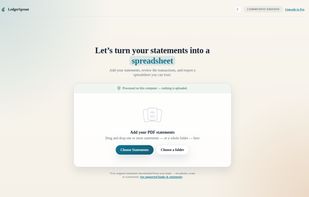
Convert bank and credit card statement PDFs to Excel, CSV, JSON or OFX entirely on your own computer. Nothing is uploaded.

Cost / License
- Freemium (Pay once or Subscription)
- Proprietary
Platforms
- Windows
- Linux
- Mac



Features
LedgerSprout News & Activities
Highlights All activities
Recent activities
- SuperDave A comment was removed from LedgerSprout
- SuperDave liked LedgerSprout
- SuperDave added LedgerSprout
- Paul updated LedgerSprout
 SuperDave added LedgerSprout as alternative to KontoCSV, Midship, CapGo.AI, Docparser and 4 more

LedgerSprout information
Developed by
 SuperDaveLab
 Licensing
Proprietary and Freemium product.Pricing
One time purchase that costs $129, and / or subscription that costs $349 per year + free version with limited functionality.Alternatives
8 alternatives listedBadge
Get an embeddable badge for LedgerSproutSupported Languages


No comments or reviews, maybe you want to be first?