Lazy Binger icon
Lazy Binger icon

Lazy Binger

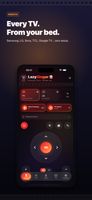
LazyBinger turns your iPhone — and Apple Watch — into a universal smart TV remote, built for people who watch in bed and refuse to reach for anything. It also does something no plastic remote can: prop the phone facing the TV and it skips the intros for you.
TV Voice control

Cost / License

  • Freemium (Pay once or Subscription)
  • Proprietary

Platforms

  • iPhone
  • Apple Watch
  • iPad
0likes
0comments
0articles

Features

Lazy Binger News & Activities

Highlights All activities

Recent activities

Lazy Binger information

  • Developed by

    ES flagwonderlink SL
  • Licensing

    Proprietary and Freemium product.
  • Pricing

    One time purchase that costs $20, and / or subscription ranging between $2 and $5 per month + free version with limited functionality.
  • Alternatives

    11 alternatives listed
  • Supported Languages

    • English
Lazy Binger was added to AlternativeTo by Wonderlinkes on and this page was last updated .
No comments or reviews, maybe you want to be first?

What is Lazy Binger?

LazyBinger turns your iPhone — and Apple Watch — into a universal smart TV remote, built for people who watch in bed and refuse to reach for anything. It also does something no plastic remote can: prop the phone facing the TV and it skips the intros for you.
Works with almost any TV — zero setup One scan finds every TV on your Wi-Fi by itself. No account, no manufacturer login. Supported: Apple TV, Roku, Fire TV, Samsung (Tizen), LG (webOS), Sony Bravia, TCL, Hisense, Philips, Panasonic, VIZIO, Xiaomi, Nvidia Shield, Chromecast, and Google / Android TV (pair once with the on-screen code).

A full remote — free, forever

  • D-pad, touchpad, volume, channels, play/pause, back, home
  • A real keyboard: type your Netflix or YouTube searches instead of hunting letters with a D-pad
  • One-tap app launch — Netflix, Prime Video, YouTube, Disney+
  • Wake-on-LAN to switch the TV back on
  • Sleep timer ("turn off in 30 minutes")
  • The whole remote on Apple Watch too — control the TV from your wrist, no phone in hand

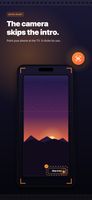
Camera auto-pilot (Premium) Prop your iPhone facing the TV. The camera reads the screen with on-device OCR (text only — nothing is recorded or uploaded), spots the "Skip Intro" or "Next Episode" button, and clicks it for you. It locks onto the screen and keeps tracking through zoom and small bumps. You don't move a muscle.

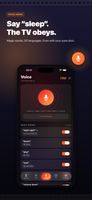
Voice control / Magic Words (Premium) Put the phone down and just talk. Say "pause", "louder", "next episode", or "sleepy time" to switch everything off. Words are fully customizable, recognition works in 10+ languages (Apple's engine or fully on-device with Whisper), and you can record your own triggers — a finger snap, a whistle. Chain up to 5 actions behind a single word.

Privacy by default Everything stays on your Wi-Fi. Voice recognition can run 100% on-device, the camera records nothing, there's no account and no tracking. App Store privacy label: Data Not Collected.

Free vs Premium The entire remote — every TV brand, keyboard, app launching, Wake-on-LAN, sleep timer, Apple Watch app — is free forever. The hands-free automations (camera auto-skip, voice control, unlimited night mode) are Premium, available as a subscription or a one-time lifetime purchase.

iOS only for now. The couch was already too far.

Official Links