Hisense Remote icon
Hisense Remote icon

Hisense Remote

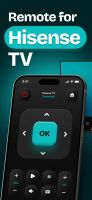
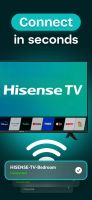
Free iPhone, iPad, and Apple Watch remote for every Hisense smart TV (VIDAA, Roku TV, Google TV, Fire TV). No account, pairs in 30 seconds.

Hisense Remote screenshot 1

Cost / License

  • Freemium (Subscription)
  • Proprietary

Platforms

  • iPhone
  • iPad
  • Apple Watch
Hisense Remote screenshot 1
Hisense Remote screenshot 2
0likes
0comments
0alternatives
0articles

Hisense Remote News & Activities

Highlights All activities

Recent activities

Hisense Remote information

  • Developed by

    DMYTRO PETUKH
  • Licensing

    Proprietary and Freemium product.
  • Pricing

    Subscription ranging between $1 and $2 per month + free version with limited functionality.
  • Alternatives

    0 alternatives listed
  • Supported Languages

    • English
    • Arabic
    • Chinese
    • Czech
    • Danish
    • Dutch
    • Finnish
    • French
    • German
    • Greek
    • Hebrew
    • Hindi
    • Hungarian
    • Indonesian
    • Italian
    • Japanese
    • Korean
    • Malay
    • Norwegian Bokmål
    • Polish
    • Portuguese
    • Romanian
    • Russian
    • Serbian
    • Spanish
    • Swahili
    • Swedish
    • Thai
    • Turkish
    • Ukrainian
    • Vietnamese

AlternativeTo Category

OS & Utilities
Hisense Remote was added to AlternativeTo by techspec on and this page was last updated .
No comments or reviews, maybe you want to be first?

What is Hisense Remote?

HiRemote turns your iPhone, iPad, or Apple Watch into a fully-featured Hisense TV remote. It works with every Hisense smart-TV platform — VIDAA U series, Hisense Roku TV models, Google TV-powered Hisenses, and Fire TV Edition — over your home Wi-Fi.

Built by an independent developer who got frustrated with the official RemoteNOW app (which requires a Hisense Connect account, has a 1.9-star App Store rating, and breaks on every other Hisense firmware update). HiRemote is the free, no-account alternative.

WHAT IT DOES

  • Power, volume, mute, and input switching
  • Full D-pad navigation for VIDAA / Google TV / Roku / Fire TV home screens
  • Number pad for live TV channel navigation
  • Touchpad mode (swipe to navigate, tap to confirm)
  • Full QWERTY keyboard — type Netflix / YouTube / Disney+ passwords without the on-screen letter-by-letter pain
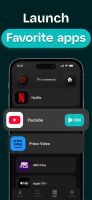
  • Direct-launch shortcuts for Netflix, YouTube, Prime Video, Disney+, Hulu, Max, Apple TV+
  • Apple Watch app with a tap-friendly D-pad and volume control
  • Lock Screen widgets (one-tap power, volume, app launch)
  • Home Screen widgets in three sizes

PRIVACY-FIRST

  • No account, no signup, no email collected
  • Doesn't see what you watch, what apps you open, or how often you use it
  • Commands sent locally over Wi-Fi to your TV — never relayed through our servers
  • No tracking, no third-party analytics inside the app
  • Read the plain-English privacy policy: https://hiremote.app/privacy

PRICING

  • Free tier: covers everything most users need (all 4 platforms, all basic controls, keyboard, app launchers, basic widgets)
  • Pro: $9.99/year — unlocks unlimited touchpad mode, advanced playback controls (skip, scrubbing), and the Apple Watch complications

COMPATIBLE WITH

  • Hisense VIDAA U TVs running VIDAA 4.0, 5.0, 6.0
  • Hisense Roku TV models (R6, R7, R8 series)
  • Hisense Google TV models (A6, A7, U6N, U7N, U8N, U7Q, U8Q)
  • Hisense Fire TV Edition (R-series with built-in Fire TV)
  • 4K ULED Models (H65, H75, H85 series)

Works with every Hisense smart TV released since 2018.

WHY IT EXISTS

The official Hisense RemoteNOW app is consistently rated 1.9 stars on the App Store. Users complain about forced account signup, slow pairing, broken VIDAA support after firmware updates, and intrusive ads. The Hisense + Roku TV combination has no first-party remote app at all (Hisense doesn't make one for Roku, Roku doesn't have a Hisense-specific UI). HiRemote covers all four platforms with one app, free, no account.

LINKS

Official Links