


Layout Indicator
2 likes
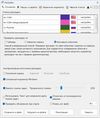
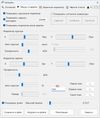
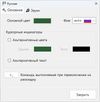
Clear and convenient layout indication for Windows: on-screen, near the text cursor and mouse pointer, and in the taskbar. Switch sounds, taskbar highlighting, and easy configuration. Fully functional 14-day trial — no limitations.


+1

Cost / License
- Pay once
- Proprietary
Platforms
- Windows

Features
Highlights All activities
Layout Indicator News & Activities
Recent activities
No activities found.
Licensing
Proprietary and Commercial product.Pricing
One time purchase (perpetual license) that costs from $7.Alternatives
2 alternatives listedBadge
Get an embeddable badge for Layout IndicatorSupported Languages

Comments and Reviews
A convenient program for switching the keyboard layout! Thanks to the author of the program! Good luck!
A long time Windows user I often need to type in two languages - either in the same document or after switching between applications. Tools like this immediately show the current input layout (language), and Layout Indicator (this app) is the best one/most reliable, supporting console applications too.
The best indication for me, for many years.