
LaunchHome icon
LaunchHome icon

LaunchHome

Apple removed Launchpad in macOS 26. LaunchHome brings it back, and makes it better.
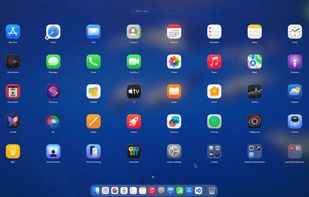
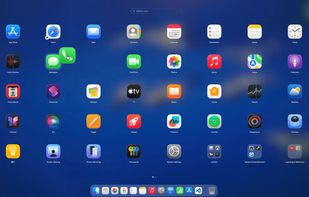
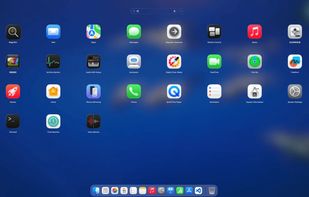
The full-screen app grid, just like the classic Launchpad.

Cost / License

  • Freemium (Pay once)
  • Proprietary

Platforms

  • Mac  Requires macOS 26 Tahoe or later
Drag one app onto another to create a folder.
Just start typing to search. Press Enter to open the first result.
+2
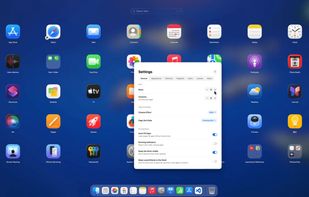
设置:排序、外观、应用目录、布局备份等。
Alternatives
1like
0alternatives
0articles
Save

Features

Features

Highlights All activities

LaunchHome News & Activities

Recent activities

LaunchHome information

  • Developed by

    CN flagLH wu
  • Licensing

    Proprietary and Freemium product.
  • Pricing

    One time purchase (perpetual license) that costs $10 + free version with limited functionality.
  • Alternatives

    0 alternatives listed
  • Badge

    Get an embeddable badge for LaunchHome
  • Supported Languages

    • English
    • Japanese
    • Chinese
    • French
    • Korean
    • German
    • Spanish

AlternativeTo Categories

OS & Utilities, Office & Productivity
LaunchHome was added to AlternativeTo by LH Wu on and this page was last updated .

No comments or reviews, maybe you want to be first?

Official Links

What is LaunchHome?

Apple removed Launchpad in macOS 26. LaunchHome brings it back, and makes it better.

It reads your old Launchpad data, so your pages and folders come back exactly as you left them. From there, everything works the way you'd expect, plus a lot more:

  • Import your old Launchpad layout, pages and folders included
  • Full keyboard control: arrow keys, Cmd+arrows, Home/End, Enter to open the first result, Esc to clear search and close
  • Navigate your way: trackpad swipe, drag on empty space, scroll wheel, or click page dots
  • Uninstall apps with a right-click, including leftover files in ~/Library
  • Drag apps to the Dock, or to the Trash to remove them
  • Multi-select with Cmd or Shift to group, move or uninstall in bulk
  • Smart sorting by name, recently used, or usage frequency
  • Not just apps: add files, URLs, Shortcuts and workflows to the grid
  • Rename or hide apps you don't want to see
  • Built-in widgets: calculator, clipboard history, clock and calendar
  • Running indicators under open apps, updated in real time
  • Multi-display support: opens on the screen your cursor is on
  • Layout backup: export, import, or restore with one click
  • Custom app folders beyond /Applications
  • Privacy first: no Accessibility permission needed for F4, no Screen Recording needed for your wallpaper, and clipboard history stays in memory only

Available in 8 languages: English, Simplified Chinese, Traditional Chinese, Japanese, Korean, French, German and Spanish.

LaunchHome Videos