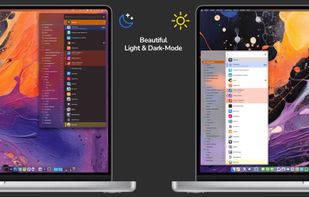
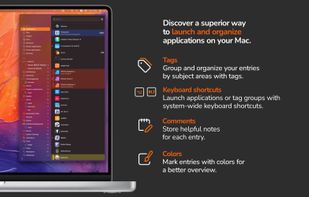
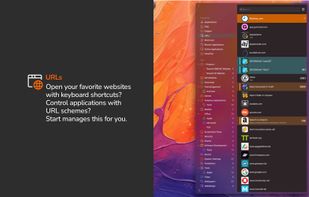
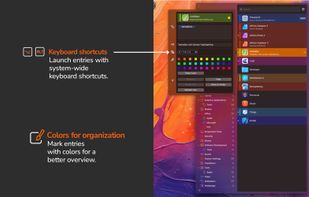
With start, the innovative launcher for macOS, you can open applications, documents, shortcuts, URLs, and folders in an instant. Say goodbye to clutter - start brings order and efficiency to your workflow.


LaunchBar is described as 'Smart and powerful, keyboard driven productivity utility that lets you access and control every aspect of your digital life. Whatever you want to get done on your Mac – with LaunchBar it’s only a few keystrokes away' and is a application launcher in the os & utilities category. There are more than 50 alternatives to LaunchBar for a variety of platforms, including Mac, Windows, Linux, Android and File Explorer apps. The best LaunchBar alternative is Listary, which is free. Other great apps like LaunchBar are Alfred, Keypirinha, ueli and Fluent Search.
With start, the innovative launcher for macOS, you can open applications, documents, shortcuts, URLs, and folders in an instant. Say goodbye to clutter - start brings order and efficiency to your workflow.


Say goodbye to repetitive, time-consuming tasks, like hunting through your programs, folders, files, and bookmarks for the ones you need. Promptu lets you associate meaningful names with programs, folders, files, bookmarks, etc, and access them almost instantly from your...


Flashlight gives you control over Spotlight. There are tons of options for customization so you can do things how you want to. Flashlight is designed to make enhancing Spotlight easy and enhance it's usefulness on macOS 10.9 and up.


LaunchMenu is a free, open source, cross-platform search-based productivity software with similarities to Alfred and Cerebro.


Namely is possibly the fastest way to open applications. And unlike some other launchers, it doesn't require any learning.


Verve is a lightweight and blazingly fast launcher for accessing and opening applications, files and documents. It serves as a replacement for popular tools such as Spotlight, Raycast, and Alfred, and is written in the Rust programming language using the Tauri Framework.


In macOS, the Dock is used as a repository for any program or file in the operating system. It can hold any number of items and resizes them dynamically to fit while using magnification to clarify smaller resized items.