





Klarschliff VideoUpscaler
Like
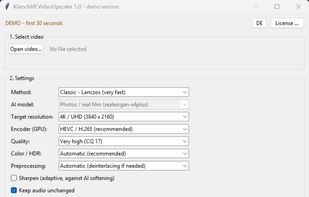
Upscale video to 4K with Real-ESRGAN (AI) or classic Lanczos — one-time purchase, no subscription, with built-in GPU overheating protection.

Cost / License
- Pay once
- Proprietary
Application type
 EU
EUPlatforms
- Windows

Features
Klarschliff VideoUpscaler News & Activities
Highlights All activities
Recent activities
- Mauricio B. Holguin updated Klarschliff VideoUpscaler
- Thomas Müller added Klarschliff VideoUpscaler
- Thomas Müller updated Klarschliff VideoUpscaler
 Thomas Müller added Klarschliff VideoUpscaler as alternative to Topaz Video, neoFootage AI, Vidmore Video Enhancer, TensorPix and 4 more

Klarschliff VideoUpscaler information
Developed by
 Klarschliff
 Licensing
Proprietary and Commercial product.Pricing
One time purchase (perpetual license) that costs $39.Alternatives
8 alternatives listedBadge
Get an embeddable badge for Klarschliff VideoUpscalerSupported Languages


No comments or reviews, maybe you want to be first?