





Kishi Notch
Like
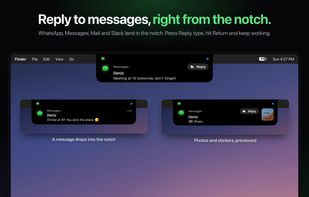
Turns the MacBook notch into an interactive island for messages, meetings, music, timers and AirPods battery, plus a detailed menu bar battery.

Cost / License
- Pay once
- Proprietary
Platforms
- Mac


Features
Highlights All activities
Kishi Notch News & Activities
Recent activities
- zhan-Gebe-o-lu added Kishi Notch
 zhan-Gebe-o-lu added Kishi Notch as alternative to NotchNook, Alcove, The Boring Notch, Mew Notch and 3 more

Developed by
 Özhan Gebeşoğlu
 Licensing
Proprietary and Commercial product.Pricing
One time purchase (perpetual license) that costs $20.Alternatives
7 alternatives listedBadge
Get an embeddable badge for Kishi NotchSupported Languages


No comments or reviews, maybe you want to be first?