




KillerPDF
4 likes
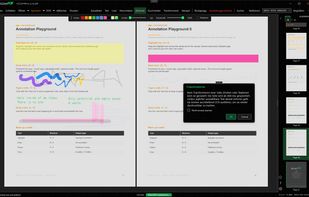
Portable PDF editor for field techs and anyone tired of Adobe. View, annotate, edit text, OCR, fill forms, sign, merge, split, and print. Free and open source: no subscription, no account, no telemetry.

Cost / License
- Free
- Open Source (GPL-3.0)
Application typeApplication types
Platforms
- Windows


Features
Highlights All activities
KillerPDF News & Activities
Recent activities
 cel added KillerPDF as alternative to word-sys's PDF Editor
 Kamil-Bilir added KillerPDF as alternative to PDF Editor Pro for Windows
 Nettongia added KillerPDF as alternative to Nettongia PDF Editor
 Wanro027 added KillerPDF as alternative to Signatur-e
- Robin_P liked KillerPDF
 Tonu Vlad added KillerPDF as alternative to DocInspector





Developed by
 Steve the Killer
 Licensing
Open Source (GPL-3.0) and Free product.Written in
Alternatives
62 alternatives listedBadge
Get an embeddable badge for KillerPDFSupported Languages

AlternativeTo Category
Office & ProductivityGitHub repository
- 4,045 Stars
- 321 Forks
- 49 Open Issues
- Updated


No comments or reviews, maybe you want to be first?