

Keychange icon
Keychange icon

Keychange

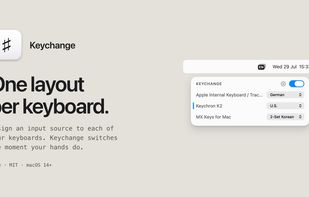
Keychange is a macOS menu bar app that assigns a system input source to each physical keyboard and switches to it automatically when you start typing on that device.
Keychange screenshot 1

Cost / License

  • Free
  • Open Source (MIT)

Platforms

  • Mac
2likes
0comments
0articles

Features

Keychange News & Activities

Highlights All activities

Recent activities

Keychange information

  • Developed by

    DE flagdennistimmermann
  • Licensing

    Open Source (MIT) and Free product.
  • Written in

  • Alternatives

    1 alternatives listed
  • Supported Languages

    • English

AlternativeTo Category

OS & Utilities

GitHub repository

  •  7 Stars
  •  0 Forks
  •  0 Open Issues
  •   Updated  
View on GitHub

Popular alternatives

View all
Keychange was added to AlternativeTo by Dennis-Timmermann on and this page was last updated .
No comments or reviews, maybe you want to be first?

What is Keychange?

Keychange is a macOS menu bar app that assigns a system input source to each physical keyboard and switches to it automatically when you start typing on that device.

macOS can change input sources per app or by keyboard shortcut, but not per keyboard, so people using keyboards with different layouts have to switch by hand each time they move between them. Keychange removes that step. Keyboards are identified by their HID device, and mappings are kept when a keyboard is unplugged and reconnected.

It can switch before the key press is delivered, so even the first character after a switch comes out right (opt-in), and it has strategies for what to do when the input source is changed by something else.

Keychange requires Input Monitoring access to identify which device a key press came from. Accessibility access is needed only for the optional before-key-press mode. It stores no keystroke data and makes no network requests other than checking for updates.

Official Links

