





KediMeet
Like
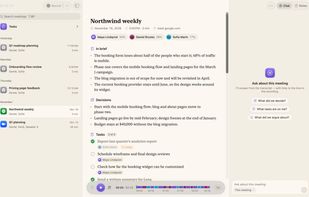
Menu bar app for Mac that records calls in Google Meet, Microsoft Teams, Zoom and more without a bot, then writes a transcript by speaker and a summary with decisions, tasks and open questions.

Cost / License
- Freemium (Subscription)
- Proprietary
Since
- New


Features
Highlights All activities
KediMeet News & Activities
Recent activities
- kedicode added KediMeet
- kedicode updated KediMeet
 kedicode added KediMeet as alternative to MacWhisper, tl;dv, Granola, Fireflies.ai and 1 more

Developed by
 KediCode
Licensing
Proprietary and Freemium product.Pricing
Subscription that costs $12 per month + free version with limited functionality.Alternatives
5 alternatives listedBadge
Get an embeddable badge for KediMeetSupported Languages


No comments or reviews, maybe you want to be first?