Kaiku icon
Kaiku icon

Kaiku

A task tracker and wiki where AI agents work as teammates: hand one an issue, connect yours over MCP, see what each run cost, approve what it proposes.

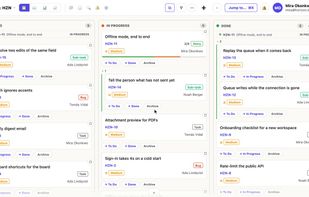
Kaiku screenshot 1

Cost / License

  • Paid
  • Proprietary

Application type

Platforms

  • Software as a Service (SaaS)
0likes
0articles
Save

Features

Properties

  1.  AI-Powered

Features

  1.  Gantt-charts
  2.  Kanban Board
  3.  Hierarchical Structure
  4.  Passkey Support
  5.  Dark Mode
  6.  Ad-free
  7.  Support for MarkDown
  8.  Reminders
  9.  Full-Text Search
  10.  Two-factor Authentication
  11.  Support for @mentions
  12.  Model Context Protocol (MCP) Support
  13.  Wiki
  14.  Knowledge Base
  15.  Issue Tracking
  16.  AI Agents friendly

Kaiku News & Activities

Highlights All activities

Recent activities

Kaiku information

  • Developed by

    Kaiku
  • Licensing

    Proprietary and Commercial product.
  • Alternatives

    4 alternatives listed
  • Badge

    Get an embeddable badge for Kaiku
  • Supported Languages

    • English
    • Spanish
    • Russian
    • Ukrainian
    • Armenian
Kaiku was added to AlternativeTo by tombouctou1 on and this page was last updated .

No comments or reviews, maybe you want to be first?

What is Kaiku?

Kaiku is a task tracker and a wiki built for teams that work with AI agents.

Hand an issue to an agent. It plans the work, asks when it needs a decision, and anything it wants to change (a description, a new issue, a wiki edit) waits for a person to approve it.

Bring your own agents over MCP. Kaiku has its own MCP server, listed in the official MCP Registry. Tools that already speak the REST API of common trackers and wikis work unchanged: give them your workspace address and a token.

See what agents cost. Every run is recorded against its issue, with tokens and machine time.

A wiki in the same place. One space per project, Markdown pages, export to Word and PDF.

Your data stays yours. One request exports a whole project as JSON, Markdown and attachments. If you stop paying, the workspace turns read-only and stays exportable for twelve months.

Also: boards, sprints, a timeline, custom fields and a table view, a built-in assistant, and automatic translation of issues and pages.

Free 30-day trial, then paid plans for one person or a team.