


kage
1 like
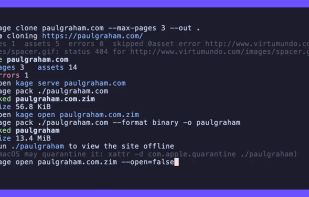
kage renders every page in headless Chrome, snapshots the final DOM, removes every script and event handler, and downloads and rewrites the CSS, images, and fonts. The result looks like the live site but runs no code: a plain folder of .html files you can open straight from disk.

Cost / License
- Free
- Open Source (MIT)
Platforms
- Linux
- Android
- Android Tablet
- Docker
- Mac
- BSD
- FreeBSD
- Windows
- Debian


Features
kage News & Activities
Highlights All activities
Recent activities
 Danilo Venom added kage as alternative to Website Downloader
- niksavc liked kage
 Paul added kage as alternative to SingleFile, WebCopy, Wget, ArchiveBox and 32 more
- Paul added kage

kage information
Developed by
 Tam Nguyen Duc
 Licensing
Open Source (MIT) and Free product.Written in
Alternatives
37 alternatives listedBadge
Get an embeddable badge for kageSupported Languages

AlternativeTo Categories
News & Books, Web BrowsersGitHub repository
- 3,454 Stars
- 132 Forks
- 9 Open Issues
- Updated


No comments or reviews, maybe you want to be first?