

Juggler icon
Juggler icon

Juggler

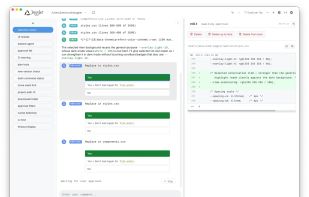
See and control what your LLM is doing to your codebase: inspectable tool calls, branching threads, and editable context. Runs locally, remotely, or both.
Juggler screenshot 1

Cost / License

Platforms

  • Mac
  • Windows
  • Linux
1like
0comments
0articles

Features

Properties

  1.  Privacy focused

Features

  1.  Ad-free
  2.  No registration required
  3.  Dark Mode
  4.  No Tracking
  5.  AI-Powered

Juggler News & Activities

Highlights All activities

Recent activities

Juggler information

  • Developed by

    GB flagJulian Storer
  • Licensing

    Open Source (AGPL-3.0) and Free product.
  • Written in

  • Alternatives

    2 alternatives listed
  • Supported Languages

    • English

GitHub repository

  •  69 Stars
  •  2 Forks
  •  1 Open Issues
  •   Updated  
View on GitHub

Popular alternatives

View all
Juggler was added to AlternativeTo by Paul on and this page was last updated .
No comments or reviews, maybe you want to be first?

What is Juggler?

Yes, it's another AI coding agent. The industry definitely needed one more.

If Juggler has an angle, it's that it's for people who want to be more hands-on over what the LLM is doing to their codebase. It gives you a visual workbench: inspectable tool calls, branching threads, editable context.

And here's the TL;DR:

  • It is a proper GUI. This is not a console app. It's all about graphical visual navigation, inspection, and control.
  • The session is a tree, not a doom-scroll. It's a Yjs document, not a transcript. Create sub-threads, drill down, backtrack, compare, and edit.
  • Everything important is visible. Tool calls, approvals, thread structure, item properties, raw context — laid out in Finder-style Miller columns instead of buried in collapsible chat.
  • It's plugins all the way down. Context items, slash commands, LLM loop strategies, and their UIs are JavaScript extensions you can inspect, fork, or replace.
  • It runs locally, remotely, or both at once. Use the same session with the same UI in the native desktop app, and/or browsers. Multiple clients can attach to the same session.
  • It talks to the usual model zoo. Claude Code (via CLI or API), OpenAI (codex plan or API), Gemini, Ollama, OpenRouter, Z.AI, Deepseek, etc.

Official Links