


Jira Desktop Unofficial (JDU)
1 like
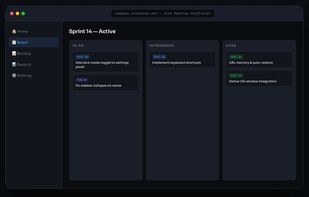
Jira Desktop Unofficial (JDU) gives Jira its own dedicated desktop window — clean, focused, and free from browser tab clutter. Built with Tauri (Rust), it uses a fraction of the memory and disk space compared to Electron-based alternatives.

Cost / License
- Free
- Open Source (MIT)
Platforms
- Mac
- Windows
- Linux

Features
Highlights All activities
Jira Desktop Unofficial (JDU) News & Activities
Recent activities
- niksavc liked Jira Desktop Unofficial (JDU)
- Mauricio B. Holguin updated Jira Desktop Unofficial (JDU)
- Cahyanudien Aziz Saputra added Privacy focused as a feature to Jira Desktop Unofficial (JDU)
- Cahyanudien Aziz Saputra added Jira Desktop Unofficial (JDU)
 Cahyanudien Aziz Saputra added Jira Desktop Unofficial (JDU) as alternative to JIRA, JIRA Client and BeyondDone
Developed by
cas8398Licensing
Open Source (MIT) and Free product.Alternatives
3 alternatives listedBadge
Get an embeddable badge for Jira Desktop Unofficial (JDU)Supported Languages
AlternativeTo Category
Business & CommerceGitHub repository
- 17 Stars
- 1 Forks
- 0 Open Issues
- Updated


No comments or reviews, maybe you want to be first?