Jam SQL Studio icon
Jam SQL Studio icon

Jam SQL Studio

 Like

Desktop SQL client for SQL Server, PostgreSQL, MySQL, Oracle and SQLite on macOS, Windows and Linux, with execution plans, schema and data compare, notebooks and a local MCP server for AI agents.
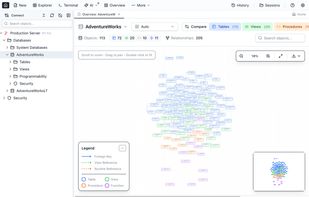
Schema overview

Cost / License

  • Freemium (Subscription)
  • Proprietary

Application type

Platforms

  • Mac
  • Windows
  • Linux
  • Ubuntu
0likes
0articles
Save

Features

Properties

Features

Highlights All activities

Jam SQL Studio News & Activities

Recent activities

Jam SQL Studio information

  • Developed by

    a7 Plus
  • Licensing

    Proprietary and Freemium product.
  • Pricing

    Subscription ranging between $9 and $10 per month + free version with limited functionality.
  • Alternatives

    47 alternatives listed
  • Badge

    Get an embeddable badge for Jam SQL Studio
  • Supported Languages

    • English

AlternativeTo Category

Development
Jam SQL Studio was added to AlternativeTo by akowalczyk on and this page was last updated .

No comments or reviews, maybe you want to be first?

What is Jam SQL Studio?

Jam SQL Studio is a desktop SQL client for SQL Server, PostgreSQL, MySQL, Oracle and SQLite, with Azure Data Explorer (KQL) and Azure Storage support. It runs on macOS (Apple Silicon and Intel), Windows and Linux.

Key Features:

  • Query Editor: write and run SQL with schema-aware autocomplete and multiple result tabs
  • Table Explorer: browse, filter, sort and edit table data without writing SQL
  • Visual Query Editor: build SELECT queries without typing SQL
  • Table Designer: create and change tables without writing DDL
  • Schema Compare: side-by-side DDL diffs and synchronization scripts
  • Data Compare: row-by-row diffs with INSERT/UPDATE/DELETE sync scripts
  • Execution Plans: interactive plan graphs for SQL Server, PostgreSQL, MySQL and Oracle
  • SQL Notebooks: SQL, JavaScript and Markdown cells, saved as .ipynb
  • Charts from query results
  • Import Data: CSV, Excel, JSON and NDJSON into new or existing tables
  • DBA tools: Session Browser, Performance Dashboard, SQL Server Agent jobs, Query Store and a deadlock analyzer
  • Azure Storage: blobs, Data Lake Gen2, file shares, queues and tables, including Azurite
  • Azure Data Studio connection import
  • AI: a local MCP server for Claude Code, Codex CLI and other agents, off until you enable it

Why Jam SQL Studio?

  • One app for five SQL engines on Mac, Windows and Linux
  • Your data and connections stay on your machine
  • No account needed for the free Personal tier

Pricing: free for personal, non-commercial use. Pro adds a commercial-use license for $9.99/month or $99/year.

Jam SQL Studio Videos