


iWriter Pro
Like
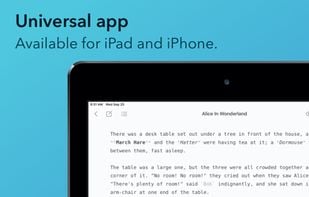
iWriter Pro is elegant and minimalist text editor with built-in Markdown support. Distraction-free and subscription-free.
 EU
EU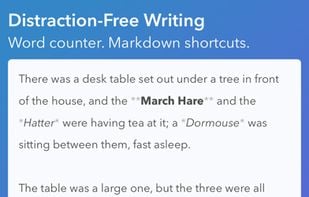

Features
Properties
- Minimalistic
Features
- Support for MarkDown
- No Subscription
- Distraction-free Writing
Tags
iWriter Pro News & Activities
Highlights All activities
Recent activities
No activities found.
iWriter Pro information
Developed by
 Serpensoft
 Licensing
Proprietary and Commercial product.Pricing
One time purchase (perpetual license) that costs $6.Alternatives
22 alternatives listedSupported Languages
- English
- German
- Russian


No comments or reviews, maybe you want to be first?
What is iWriter Pro?
iWriter Pro is elegant and minimalist text editor with built-in Markdown support. Distraction-free and subscription-free.
Features:
- Clean and minimal interface.
- iCloud sync across iPad, iPhone, and Mac¹ devices.
- Full Multimarkdown support with syntax highlighting.
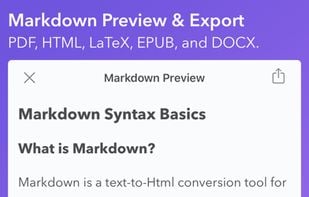
- Markdown preview with custom themes and fonts.
- Typewriter mode² with focusing on line, sentence, or paragraph.
- Powerful Document Browser³ with tags support.
- Integrated counters for words, chars, sentences, and paragraphs.
- Fast and responsive editing.
iWriter Pro supports:
- Math equations, Flowchart graphs, and Mermaid diagrams.
- Light and dark layouts (auto-switching included).
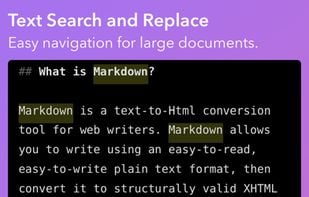
- Search and Replace within a document.
- Export text and Markdown previews to PDF, HTML, DOCX, EPUB, JPG, and LaTeX.
- Keyboard shortcuts4 for text formatting and quick navigation.
- Automatic list formatting for ordered, unordered, and todo lists.
- Multi-window layout on iPad. Text and preview on one screen.
