


iSkysoft iTransfer
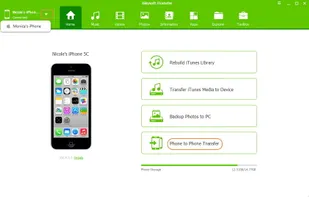
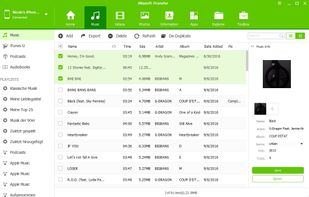
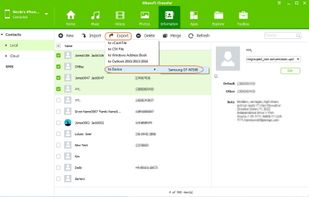
iSkysoft iTransfer- Backup photos, music, and videos from iPhone/iPad/iPod/Android to Mac or iTunes Library, transfer media files between iPod, iOS and Android devices. Super-fast& Intelligent Transfer between any Android and iOS devices with ease.
Cost / License
- Pay once
- Proprietary
Alerts
- Discontinued
Platforms
- Mac
- Windows

The program has upgraded to  Wondershare dr.fone

Features
Tags
- transfer-iphone-to-computer
- transfer-ipod-to-pc
- music-backup
- photo-backup
- ipod-transfer
- iphone-transfer
iSkysoft iTransfer News & Activities
Recent activities
iSkysoft iTransfer information
Developed by
 iSkysoft
 Licensing
Proprietary and Commercial product.Pricing
One time purchase (perpetual license) that costs $0.Alternatives
30 alternatives listedSupported Languages
- English


Featured in Lists

A list with 338 apps by christineconnor without a description.
What is iSkysoft iTransfer?
iSkysoft iTransfer- Backup photos, music, and videos from iPhone/iPad/iPod/Android to Mac or iTunes Library, transfer media files between iPod, iOS and Android devices. Super-fast& Intelligent Transfer between any Android and iOS devices with ease. Note: iSkysoft TunesOver (Mac) is renamed as iSkysoft iTransfer for Mac.
Supported file types: 1, Media data: Music, playlists, audiobooks, podcasts, iTunes U, movies, TV shows, music videos, home videos 2, Photos: Camera roll, photo stream (Apple devices only), photo library, photo share (Apple devices only), photo videos, photo albums 3, Personal information: Local contacts, icloud contacts (Apple devices only), account contacts, messages 4, Apps: User apps, system apps (Android devices only)
Supported OS: iOS 5 and up (iOS 9.3 included),Android 2.1 and up (Android 6.0 included) Supported Devices: Supports iPhone 7, iPhone 6S Plus, iPhone 6S, iPhone 6, iPhone 6 Plus, iPhone 5s, iPhone 5c, iPhone 5, iPhone 4S, iPad Air Supports 3000 Android devices including Huawei, ZTE, Samsung, HTC, Google, Sony, Motorola and more!
Comments and Reviews
I don't recommend paying for such a basic function. You can easily transfer songs from your iPod Touch/iPhone/iPad to your computer if you jailbreak it, by using apps like iPhoneBrowser or a SFTP client like WinSCP (if you want to use a SFTP client, you need to download OpenSSH onto your jailbroken device first).
In fact, some apps (i.e. i-Funbox) might not even need a jailbreak to access your device's music.
If jailbreaking isn't your thing, there are still plenty of free alternatives, as you can clearly see from the alternatives list. Or, if you're just trying to get your music to a new computer, you could burn all of your iTunes music onto a DVD. That's actually an official iTunes feature. My point is: don't pay for this. There are so many other (free) ways to transfer your music.