Features
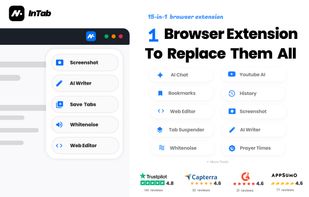
🤖 Compare top AIs: Claude, ChatGPT, Gemini & Perplexity side-by-side.
✍️ Write better anywhere: Fix, rewrite, summarize & translate selected text with AI.
▶️ Skip YouTube fluff: Instant takeaways & AI smart chapters.
🖼️ Compress images instantly: Auto-convert downloads to WebP/AVIF.
📸 Screenshots: Full-page screenshots, markup & privacy blur.
🧠 Tame your tabs: Save windows, suspend tabs & search everything.
🛠️ Dev: Edit websites, test screen sizes & change code live.
Use Cases
Polishing a Risky Email
Highlight a sloppy or angry draft in Gmail and instantly rewrite it into a calm, professional tone before hitting send.
Skipping YouTube Clickbait
See if a 30-minute tutorial is clickbait and jump straight to the exact minute with the answer.
Blurring Secrets on Screenshots
Take a full-page screenshot and wipe a blur brush over passwords, credit cards, or client emails before posting to Slack.
Saving 50 Tabs on Friday
Save an entire messy window of research in 1 click and shut your laptop without losing your links or cooking your CPU.
Catching AI Code Bugs
Prompt Claude and ChatGPT side-by-side in one split screen to catch hallucinations and pick the cleanest code.
Finding a Buried Link Instantly
Press one shortcut on a clean new tab to find a page buried across your open tabs, bookmarks, and history in one second.













 InTab
No comments or reviews, maybe you want to be first?