




InputWeave
1 like
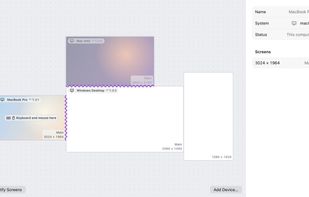
InputWeave shares one keyboard and mouse across the Mac, Windows and Linux computers on your desk. Move the pointer past a screen edge and keep typing on the next computer.

Cost / License
- Free
- Open Source (GPL-3.0)
Application typeApplication types
Since
- New
Updated
- Updated Nov 2026
Releases
- 5 releases last year5 last year


Features
Highlights All activities
InputWeave News & Activities
Recent activities
- Abdullah-3468 liked InputWeave
- CT TSAI updated InputWeave
- CT TSAI added InputWeave
 CT TSAI added InputWeave as alternative to Multiplicity, Synergy, Barrier, Input Leap and 4 more

Developed by
ctsite.ccLicensing
Open Source (GPL-3.0) and Free product.Written in
Alternatives
8 alternatives listedBadge
Get an embeddable badge for InputWeaveSupported Languages

AlternativeTo Category
OS & UtilitiesGitHub repository
- 1 Star
- 0 Forks
- 0 Open Issues
- Updated



No comments or reviews, maybe you want to be first?