Industrial Keyboard icon

Industrial Keyboard

 Like

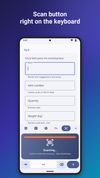
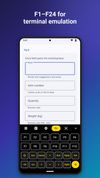
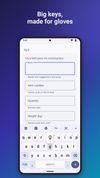
On-screen keyboard for rugged Android devices with F1–F24, big keys for gloves, a scan key and configuration through your MDM.
Industrial Keyboard screenshot 1
Industrial Keyboard screenshot 2
+1
Industrial Keyboard screenshot 3

Cost / License

  • Free
  • Open Source (MIT)

Since

  • New

Platforms

  • Android
0likes
0articles
Save

Features

Properties

Features

Highlights All activities

Industrial Keyboard News & Activities

Recent activities

Industrial Keyboard information

AlternativeTo Category

OS & Utilities

GitHub repository

  •  0 Stars
  •  0 Forks
  •  1 Open Issue
  •   Updated  
View on GitHub
Industrial Keyboard was added to AlternativeTo by Jo-Pfattheicher on and this page was last updated .

No comments or reviews, maybe you want to be first?

What is Industrial Keyboard?

Industrial Keyboard is an Android input method for warehouse and production handhelds. The Fn tab holds F1–F12, Esc, Ins, Del, Home/End, PgUp/PgDn and arrows; Shift turns the function keys into F13–F24, sent as Shift+F1…F12, the mapping 5250 terminal emulators use. Key height 70–160 % for gloves, a scan tab that pulls the soft trigger of Zebra DataWedge, Honeywell or other scanner apps, custom layouts and macros in JSON, and QWERTY, QWERTZ, AZERTY, Nordic and Spanish layouts. Configured from any EMM through managed configuration, a file or StageNow, protected by an admin password. Word suggestions from built-in lists, nothing is learned; the network is used only to download a language pack for offline dictation on request. Android 8.0+, tested on a Zebra HC20; the Honeywell trigger follows the vendor documentation. Version 2.3, also on Google Play. Free and open source (MIT).