IndiPDF icon
IndiPDF icon

IndiPDF

A powerful, privacy-respecting PDF editor built for Linux users. Edit, annotate, merge, and manage PDF documents—without subscriptions or cloud dependencies.
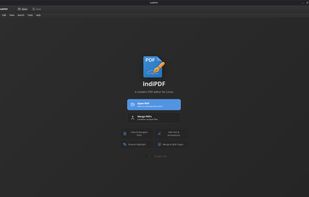
IndiPDF screenshot 1

Cost / License

  • Pay once
  • Proprietary

Application type

Platforms

  • Linux
  • Flathub
  • Flatpak
0likes
0articles
Save

Features

Properties

Features

Highlights All activities

IndiPDF News & Activities

Recent activities

IndiPDF information

IndiPDF was added to AlternativeTo by Paul on and this page was last updated .

No comments or reviews, maybe you want to be first?

What is IndiPDF?

A powerful, privacy-respecting PDF editor built for Linux users. Edit, annotate, merge, and manage PDF documents—without subscriptions or cloud dependencies.

  • Privacy First: Your documents stay on your computer. No cloud uploads, no tracking, no data collection.
  • One-Time Purchase: $35 for a lifetime license. No subscriptions, no recurring fees, no surprise price increases.
  • Native Linux Experience: GTK-style interface with automatic dark/light theme detection for GNOME, KDE, and more.

Powerful Features

Everything you need to work with PDFs on Linux.

  • File Operations: Open, edit, save, and print PDF documents. Merge multiple PDFs into one, work with multiple documents in tabs, and flatten annotations permanently when needed.
  • Page Management: Reorganize pages with drag-and-drop thumbnails. Rotate, delete, or extract pages to create new documents.
  • Annotations & Markup: Highlight, underline, and strikethrough text. Add text boxes, comments, freehand drawings, shapes, arrows, stamps, and images. Create and apply saved signatures.
  • Editing Features: Fill out PDF forms, format text with rich editing options, and use full undo/redo support. Copy and paste images and content with clipboard support.
  • Navigation & Search: Search within documents and navigate between results. Zoom controls and sidebar thumbnails make it easy to find what you need.
  • User Experience: Automatic system theme detection, comprehensive keyboard shortcuts, and unsaved changes protection keep your workflow smooth.
