
Inbox Ledger icon
Inbox Ledger icon

Inbox Ledger

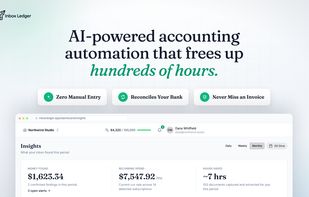
Every inbox tool stops at capture and leaves you a folder of PDFs. Inbox Ledger reconciles against your bank statement and flags duplicate payments and silent vendor price hikes, so the deal usually pays for itself.
Inbox Ledger screenshot 1

Cost / License

  • Freemium (Subscription)
  • Proprietary

Platforms

  • Online
0likes
0articles

Features

Properties

  1.  Privacy focused

Features

  1.  Support for multiple currencies
  2.  Import CSV Data
  3.  Currency Conversion
  4.  Real time collaboration
  5.  Multiple Account support
  6.  Extensible by Plugins/Extensions
  7.  Reminders
  8.  Ad-free
  9.  No Coding Required
  10.  Cloud Sync
  11.  Cash Flow Analysis
  12.  Recurring Billing
  13.  Bank Reconciliation

Inbox Ledger News & Activities

Highlights All activities

Recent activities

Inbox Ledger information

  • Developed by

    Unknown
  • Licensing

    Proprietary and Freemium product.
  • Pricing

    Subscription ranging between $13 and $199 per month + free version with limited functionality.
  • Alternatives

    38 alternatives listed
  • Badge

    Get an embeddable badge for Inbox Ledger
  • Supported Languages

    • English

AlternativeTo Categories

Business & CommerceOffice & Productivity

Popular alternatives

View all
Inbox Ledger was added to AlternativeTo by Dmitry Suv on and this page was last updated .
No comments or reviews, maybe you want to be first?

What is Inbox Ledger?

Inbox Ledger is accounts payable software that collects invoices and receipts from email and reconciles them against bank statements. It connects to Gmail, Outlook, or any IMAP mailbox and finds invoices in PDF attachments and in email bodies, such as Stripe, PayPal, or Shopify receipts. AI extracts the vendor, dates, amounts, tax, currency, and line items. Documents can also be added by email forwarding, manual upload, a Chrome extension, or Telegram and WhatsApp bots.

Users upload bank statements in PDF, CSV, XLSX, OFX, MT940, and other formats. The software matches each transaction to an invoice, including across currencies, and shows a confidence score and a plain-language explanation for every match. Using the matched data, it flags duplicate invoices, duplicate payments, and price increases from recurring vendors.

Invoice data can be exported to QuickBooks Online, Xero, Microsoft Dynamics 365 Business Central, Google Sheets, Google Drive, or OneDrive. Accounting firms can manage multiple client workspaces from one dashboard and invite clients to connect their own inboxes.