

icanwrite
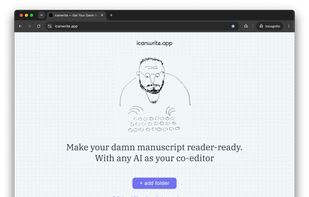
Distraction-free markdown editor for long-form writing with line-by-line AI feedback in the sidebar, customizable prompts, local-first file editing, project-level guidelines, privacy-focused storage, cloud and local AI models, and seamless export options.
Cost / License
- Freemium (Subscription)
- Proprietary
Platforms
- Mac
- Online
Features
Properties
- Privacy focused
- Distraction-free
- AI-Powered
Features
- Ad-free
- Live Preview
- Spell Checking
- No Tracking
- Support for MarkDown
- Writing assistance
- AI Writing
- Proofreading
- Distraction-free Writing
- Markdown preview
icanwrite News & Activities
Recent activities
- Danilo_Venom updated icanwrite
- maxthescribbler added icanwrite
maxthescribbler added icanwrite as alternative to ProWritingAid, Grammarly, DeepL Write and Hemingway Editor
icanwrite information
What is icanwrite?
icanwrite is a distraction-free markdown editor designed for novelists, essayists, and long-form writers who want to polish their manuscripts with AI assistance without losing creative control. It doesn't generate text but treats AI as a co-editor leaving line-by-line feedback and suggestions as comments in the sidebar. It comes with built-in, "batteries included" set of prompts for professional self-editing but, unlike most writing AI apps, gives users full access to prompts - they can customize them or set up their own. It also let's you switch between more than a dozen most advanced AIs and also local models (experimental). icanwrite works directly on your local .md files and folders, ensuring complete ownership of your work with no vendor lock-in and seamless compatibility with tools like Obsidian, Scrivener (via markdown export), and cloud sync folders (Dropbox, Google Drive, OneDrive).
Key Features
- AI Comments: Run in-depth self-editing checks across your entire document or chapter. The AI reviews your draft and leaves actionable suggestions in the sidebar - similar to a professional editor.
- On-Demand Selection Chat: Highlight any passage, dialogue snippet, or paragraph to brainstorm alternatives, debate word choices, or refine phrasing directly with AI.
- Built-in & Custom Self-Editing Prompts: Choose from dozens of crafted self-editing prompts (pacing, dialogue realism, vocabulary precision, continuity, style consistency) or build and customize your own.
- Project-Level AI Guidelines: Set custom style guides, genre rules, character sheets, and voice constraints per folder so the AI understands the context of your specific project.
- Local-First & Privacy-Focused: Edits .md files directly on your local disk. Your manuscript text is never stored or retained on icanwrite's remote servers.
- Flexible Model Selection: Switch between leading cloud models (Claude, OpenAI, Gemini, and more) or run local, privacy-first models.
- Distraction-Free Environment: Clean typography, minimalist interface, zen mode and font customization.
- Simple export. Reorder files and export the entire folder as a single markdown file or ePub.
Platform & Availability
- Web: Works directly in Chromium-based desktop browsers (Google Chrome and Microsoft Edge) using the File System Access API - free to edit locally even without creating an account.
- Desktop: Native desktop application available for macOS (Windows support and full offline capabilities in development).



