
Hue Sync icon
Hue Sync icon

Hue Sync

 1 like

Use the Hue Sync desktop app to sync Hue smart lights to anything on your computer, whether you’re gaming, playing music, or watching a movie.
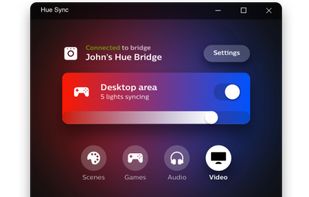
Hue Sync screenshot 1

Cost / License

  • Free
  • Proprietary

Since

  • Since 2021

Platforms

  • Windows
  • Mac
1like
0articles
Save

Features

Features

 Tags

Highlights All activities

Hue Sync News & Activities

Recent activities

Hue Sync information

Popular alternatives

View all
Hue Sync was added to AlternativeTo by ph.comptes on and this page was last updated .

No comments or reviews, maybe you want to be first?

Official Links

Install from the command line

  • winget install -e --id Philips.HueSync

Be careful what you paste into a terminal. Check what a command installs before running it.

What is Hue Sync?

Use the Hue Sync desktop app to sync Hue smart lights to anything on your computer, whether you’re gaming, playing music, or watching a movie.

Highlight and amplify your in-game actions with your smart lights. Whether you’re unlocking an achievement or beating a boss, you can experience lighting effects that correspond to what’s going on in your character’s world.

Using the Hue Sync desktop app isn’t only for gaming: from watching your favorite streaming service to listening to the latest chart topper, you can pair your lights with whatever is happening on your computer.