



Has Happened
Has Happened is an ultra-fast combination of a tracker, a diary and an calendar to log what Has Happened in your daily life. It tracks those events 'which just happen', those 'you do once in a while' and those where 'you want to log some data'.
Cost / License
- Freemium (Pay once)
- Proprietary
Platforms
- Android

Has Happened
Features
Properties
- Privacy focused
- Lightweight
Features
- Task Time Tracking
- Reminders
 Sync with Google Calendar
- Hierarchical Structure
- No Tracking
- Goal Tracking
- Full-Text Search
- Mood Tracking
- Recurring Tasks
- Ad-free
- No registration required
- Calendar Integration
- Works Offline
- Dark Mode
- Encrypted Backup
- Calendar Sync
Has Happened News & Activities
Recent activities
Has Happened information
What is Has Happened?
'Has Happened' is an ultra-fast blend of event-tracker, diary and calendar.
It's task is to keep track of what Has Happened in your daily life - focusing on
- 'events that have happened' like 'get praised by the boss', 'receive flowers from a loved one', 'experience some head-ache' etc
- 'events that you do once in a while' like 'wash your car', 'send your pet for grooming', ' visit your old aunty', or 'wash living-room curtains' etc
- 'important data you want to track' like recording you weight, your blood-pressure etc
These are all events you want to keep track, in an easy and fast way - just by clicking on the event.
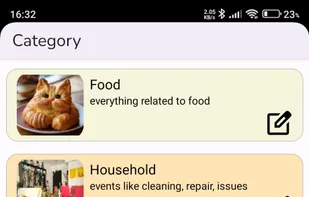
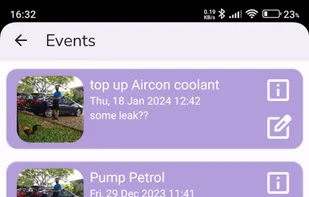
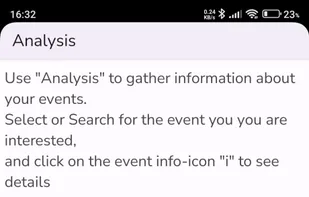
Here are some features of the app: 🌟 Organize Events into Categories 🌟 Personalize your Categories and Events with an icon, an image from your gallery, a unique color 🌟 Ultra-fast logging of events - just a Click 🌟 Secure selected Categories via Biometric Authentication 🌟 Set absolute (at a specific time) and relative (in a specific time) reminders 🌟 Review upcoming Reminders, Snooze if needed 🌟 Reminders will survive re-boot, and re-installation 🌟 Synchronize events to an on-device Calendar 🌟 Analyze events over Time, and get valuable insights 🌟 Add widgets to your Home-Screen, for ultra-fast One-Click access 🌟 Create 'Timed-Events', to track Start- and Stop Time 🌟 Track Stop-Time by just a Click 🌟 Add 1 or 2 data-fields to events, and graphically evaluate important trends like fuel-consumption per km, weight 🌟 Select Day, Night or System Mode colors 🌟 Backup and Restore the Database (Full Version)
The app does not require internet-access (besides the communication with Google for licensing), and data is only shared with on-device calendars (like Google-calendar) after switching on this feature.
