GoodNight Alternatives

GoodNight is described as 'IOS app developped by @anthonya1999 (Github).It allows you to adjust the screen temperature, brightness, and color. GoodNight isn't downloadable from the apple app store.(Guide to install:https://www.youtube.com/watch?v=Yu62IlaqPQM)' and is an app in the sport & health category. There are more than 10 alternatives to GoodNight for a variety of platforms, including Windows, Mac, Linux, Android and Chrome OS apps. The best GoodNight alternative is f.lux, which is free. Other great apps like GoodNight are Redshift, LightBulb, Twilight and SunsetScreen.

Copy a direct link to this comment to your clipboard
GoodNight alternatives page was last updated

Alternatives list

  1. Screen Shader icon
     3 likes
    Copy a direct link to this comment to your clipboard

    Screen Shader is a chrome extension designed to tint the screen a “cozy” orange color to reduce eye strain, eye fatigue, and restore day/night balance, while also providing a wide variety of settings for everyone's different tastes!.

    Cost / License

    • Free Personal
    • Proprietary

    Application type

    Platforms

    • Chrome OS
    • Google Chrome
     
  2. Copy a direct link to this comment to your clipboard

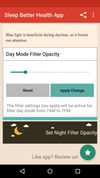
    Do you use your mobile phone after sunset? Do you use your phone within three hours of your bed time? If yes, then your device might be taking your sleep away. Bluelight from your mobile screens sends a signal to brain to wake up, and makes it difficult for us to sleep at night.

    Cost / License

    • Free
    • Proprietary

    Application type

    Platforms

    • Android
    • Android Tablet
     
    • Night Shift: Blue Light Filter is the most popular Android Tablet alternative to GoodNight.

    • Night Shift: Blue Light Filter is Free and ProprietaryGoodNight is also Free and Proprietary
  3.  2 likes
    Copy a direct link to this comment to your clipboard

    This advanced Windows app allows you to alter the screen shading according to the time of day, which is great if you work outside the normal hours, or if you need a lift in the afternoon. You can set the colour tints and your awake and sleep times.

    Cost / License

    • Pay once
    • Proprietary

    Application type

    Platforms

    • Windows
     
  4. Night Screen icon
     1 like
    Copy a direct link to this comment to your clipboard

    Night Screen is created for those people who spend a lot of time at night working.

    Limit your exposure to energy-efficient lighting before bed. In addition to the LED screens in your electronics, energy-efficient lighting emits a lot of blue light.

    Cost / License

    • Pay once
    • Proprietary

    Application type

    Platforms

    • Mac
     
  5. Copy a direct link to this comment to your clipboard

    iBrightness Tray is a little bit of a swiss army knife display tool as adjusting the brightness of your screen is just one of three main functions it has. The other two are turning on your screensaver at the click of a button and also the ability to turn off the display...

    Cost / License

    • Free
    • Proprietary

    Application type

    Alerts

    • Discontinued

    Platforms

    • Windows
     
  6. Brisync icon
     3 likes
    Copy a direct link to this comment to your clipboard

    Synchronize your external monitor brightness with built-in display. Application reads current brightness of your built-in display and passes it to external monitors via DDC interface. You can adjust brightness by menu in system status bar.

    Cost / License

    • Free
    • Open Source

    Platforms

    • Mac
     
  7. Lumen icon
     2 likes
    Copy a direct link to this comment to your clipboard

    Lumen - magic auto brightness based on screen contents. You control Lumen simply by using your brightness keys - it'll automatically learn your preferences.

    Cost / License

    • Free
    • Open Source

    Application type

    Alerts

    • Discontinued

    Platforms

    • Mac
     
You are at page 2 of GoodNight alternatives