
GeniusNotes icon
GeniusNotes icon

GeniusNotes

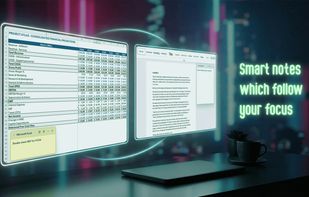
Context-aware true overlay sticky notes which automatically disappear and reappear depending on the currently focused app.
GeniusNotes screenshot 1

Cost / License

  • Freemium (Pay once)
  • Proprietary

Application type

Platforms

  • Windows
1like
0articles
Save

Features

Properties

  1.  Privacy focused
  2.  Lightweight

Features

  1.  Dark Mode
  2.  Works Offline
  3.  No Tracking
  4.  Ad-free
  5.  No registration required
  6.  Sticky Notes
  7.  Note organization
  8.  No Subscription

GeniusNotes News & Activities

Highlights All activities

Recent activities

GeniusNotes information

  • Developed by

    PL flagGradientBits
  • Licensing

    Proprietary and Freemium product.
  • Pricing

    One time purchase (perpetual license) that costs up to $15 + free version with limited functionality.
  • Alternatives

    18 alternatives listed
  • Badge

    Get an embeddable badge for GeniusNotes
  • Supported Languages

    • English
    • French
    • German
    • Spanish
    • Polish
    • Portuguese
    • Chinese
    • Hindi
    • Indonesian

AlternativeTo Category

Office & Productivity

Popular alternatives

View all
GeniusNotes was added to AlternativeTo by Adam Dzialo on and this page was last updated .

No comments or reviews, maybe you want to be first?

Official Links

What is GeniusNotes?

GeniusNotes is a unique sticky notes app for Windows 10 and 11 where every note follows the program it belongs to. Press Alt+N inside Excel and you get Excel's sticky note. Switch to your browser and the browser's note takes its place - automatically, instantly, without cluttering your screen. Pin a note to keep it on top everywhere, dock it to the screen edge as a small tab, and manage everything from one dashboard. No account, no cloud, no subscription: your sticky notes stay on your PC.

Whether you're tracking data in Excel, researching in a browser, coding in an IDE or even working on a new OP build in a full-screen video game, your relevant sticky notes appear and disappear automatically as you switch tasks. Developed in Rust/Tauri, the app is unobtrusive, ultra-lightweight, and feels like a native part of your OS - being a true overlay, GeniusNotes doesn't struggle with important notes being obstructed by other windows.

GeniusNotes Videos

