





GeekLink
1 like
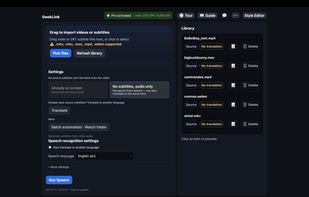
Batch subtitle editor, extract hardcoded subtitles via OCR, auto-transcribe speech(precise timeline), and translate to 40+ languages.

Cost / License
- Freemium (Pay once or Subscription)
- Proprietary
Application type
Platforms
- Mac
- Windows


Features
GeekLink News & Activities
Highlights All activities
Recent activities
- Flora Wang updated GeekLink
- Flora Wang updated GeekLink
- Flora Wang added Extract text from image as a feature to GeekLink
- Flora Wang updated GeekLink
 Flora Wang added GeekLink as alternative to Subs Factory
 Flora Wang added GeekLink as alternative to SubtitleTools and Kainote
 Flora Wang added GeekLink as alternative to SKALDA FLINT, Subtitulator and VidCap
- Flora Wang added GeekLink as alternative to ffsubsync, SubTranslate AI, Subtitle Composer, Aurora Subtitles and 18 more
- Flora Wang liked GeekLink


GeekLink information
Developed by
 StellanWear LLC
 Licensing
Proprietary and Freemium product.Pricing
One time purchase that costs $169, and / or subscription that costs $13 per month + free version with limited functionality.Alternatives
37 alternatives listedBadge
Get an embeddable badge for GeekLinkSupported Languages


No comments or reviews, maybe you want to be first?