FoxSay is a free, open-source dictation app for Apple silicon Macs. Hold a hotkey, speak, and paste the result into the app you are using. Choose NVIDIA Parakeet or OpenAI Whisper speech models, with English, Japanese, and multilingual options that run on your Mac.
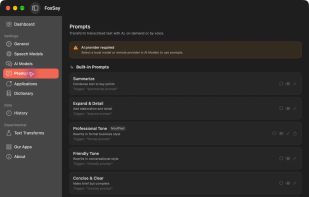
Optional local AI cleanup can fix punctuation, rewrite a transcript, summarize it, or turn it into Markdown. Use built-in or custom prompts and choose a different prompt and model for each app. Voice commands, a personal dictionary, and transcription history with audio playback help you refine the result.
Recording, transcription, and local AI processing work offline once models are downloaded. No account is required. Remote AI providers are optional and use your own API key; only text you choose to send goes to that provider. FoxSay is free under the Apache 2.0 license, with signed and notarized downloads and automatic updates.
Key features
• Hotkey dictation — Hold, toggle, or double-tap a modifier key to record; Escape cancels.
• Paste into any app — Put the finished transcript directly into the app you are using.
• Two speech engines — Choose NVIDIA Parakeet or OpenAI Whisper models running locally.
• Multilingual models — Use English, Japanese, or multilingual speech models on your Mac.
• Local AI cleanup — Fix punctuation, rewrite, summarize, or format transcripts with on-device models.
• Custom prompts — Start with built-in prompts or write your own text transformations.
• App overrides — Assign a different prompt and AI model to each app you dictate into.
• Voice Markdown — Turn spoken formatting commands into Markdown syntax.
• History and dictionary — Replay transcription audio and correct names or jargon with custom entries.
• Private and open source — Works offline after model downloads; optional remote AI uses your own API key.







 Andy-Miller added FoxSay as alternative to MacWhisper, VoiceInk, Superwhisper and Handy STT
 Skulkworks


No comments or reviews, maybe you want to be first?