





Font Inspector
Like
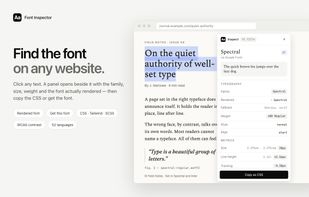
Font Inspector is a free Chrome extension that answers "what font is this?" without opening DevTools. Pick any text on a page, or right-click it and choose Inspect Font, and a panel shows the font family, the font the browser actually rendered (with a warning when a...

Cost / License
- Free
- Proprietary
 EU
Since
- Since 2025


Features
Highlights All activities
Font Inspector News & Activities
Recent activities
- D-I added Font Inspector
 D-I added Font Inspector as alternative to Fonts Ninja, WhatTheFont, CSS Peeper, WhatFont - What html font and 2 more

Developed by
 Red Digits
First released
2025Licensing
Proprietary and Free product.Alternatives
6 alternatives listedBadge
Get an embeddable badge for Font InspectorSupported Languages


No comments or reviews, maybe you want to be first?