

Feedr
1 like
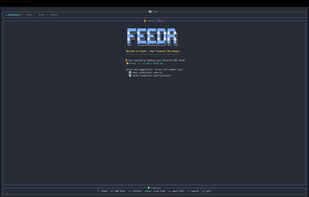
Feedr is a feature-rich terminal-based RSS feed reader written in Rust. It provides a clean, intuitive TUI interface for managing and reading RSS feeds with elegant visuals and smooth keyboard navigation.
Cost / License
- Free
- Open Source (MIT)
Platforms
- Rust
- Linux
- Mac
- Windows
- BSD
Features
- Import/Export OPML Feeds
- Command line interface
- Terminal-based
- Tui
- Support for Keyboard Shortcuts
- Integrated Search
Feedr News & Activities
Highlights All activities
Recent activities
Feedr information
No comments or reviews, maybe you want to be first?
What is Feedr?
Feedr is a feature-rich terminal-based RSS feed reader written in Rust. It provides a clean, intuitive TUI interface for managing and reading RSS feeds with elegant visuals and smooth keyboard navigation.
Features:
- Dashboard View: See the latest articles across all your feeds, sorted chronologically
- Feed Management: Subscribe to and organize multiple RSS/Atom feeds
- Feed Auto-Discovery: Paste any webpage URL and Feedr will detect and offer to subscribe to its RSS/Atom feeds
- Starred Articles: Save articles for later with a dedicated starred view
- Categories: Organize feeds into custom categories with create, rename, and delete support
- Tree View: Browse feeds in a hierarchical tree grouped by category
- Advanced Filtering: Filter articles by category, age, author, read status, starred status, and content length
- Dual Themes: Switch between a dark cyberpunk theme and a light zen theme with t
- Live Search: Instantly search across all feed titles and article content
- Summary View: "What's New" screen shows articles added since your last session with per-feed stats
- Read/Unread Tracking: Persistent read state tracking across sessions
- Mark All Read: Quickly mark all visible items as read with m
- Article Preview: Toggle an inline preview pane in the dashboard view
- Link Extraction: Extract and browse all links from an article with l
- Full-Text Extraction: Strip away summaries and read the actual article content inline via Mozilla Readability — manual on Shift+F, or auto-extract on refresh per feed with fulltext = true
- Help Overlay: Press ? for a scrollable keybinding reference overlay
- OPML Import: Bulk import feeds from OPML files via feedr --import <file.opml>
- Browser Integration: Open articles in your default browser
- Mouse Support: Click to select items and scroll with the mouse wheel
- Background Refresh: Automatic feed updates with configurable intervals and smart rate limiting
- Rate Limiting: Per-domain request throttling prevents "too many requests" errors (ideal for Reddit feeds)
- Vim-Style Navigation: Use j/k alongside arrow keys for navigation
- Rich Content Display: HTML-to-text conversion with clean article formatting
- Authenticated Feeds: Support for custom HTTP headers per feed (e.g., Authorization: Bearer ...) for private/authenticated RSS feeds
- Compact Mode: Automatic compact layout for small terminals (=30 rows), with manual always/never override in config
- CLI Config Management: Get, set, and list configuration from the command line (feedr config), or use the interactive TUI config editor (feedr config --tui)
- Configurable Keybindings: Remap any key action via the [keybindings] section in config.toml
- External-Command Hooks: Newsboat-style macros (pipe-to, exec) bound to keys, plus exec_on_new notifications fired per new item — all with shell-free argument templating
- Configurable: Customize timeouts, themes, UI behavior, and default feeds via TOML config