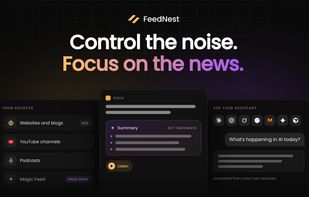
FeedNest is a news reader that puts the sources you choose in one place: websites and blogs through RSS, YouTube channels, podcasts, and Google News topics and searches. Articles arrive in order of publication, newest or oldest first, with no ranking algorithm deciding what you see. When a feed only sends an excerpt, you can load the full article and read it in a distraction-free view. You choose among five layouts for the article list, the reading font and size, and a light or dark theme.
Sources go into folders, articles can be tagged and saved, any link can be saved for later, and search covers the full text of your feeds. Subscriptions move in and out with OPML, and there are guides for coming from Feedly, Inoreader, Pocket, Omnivore and Tiny Tiny RSS. Ned, the built-in AI assistant, summarizes articles in preset styles or with your own prompts, translates them, suggests tags and reads them aloud. Its Magic Feed turns a short description of your interests into a list of sources to follow.
FeedNest also works inside AI assistants. Its MCP server connects Claude, ChatGPT and other assistants that support the Model Context Protocol, so they can read and search the articles from your own sources, for example to put together a morning briefing. This works on every plan: read-only on Free, while on Plus and Pro the assistant can also save, tag, highlight and add notes.
FeedNest is made for people who follow many sources for work, such as analysts, researchers and founders. The Free plan covers up to 150 websites and blogs, full articles, folders, tags, search, OPML and one Magic Feed a month. Plus adds YouTube, podcasts, Google News, the AI tools, listening, highlights and notes, for up to 1,500 sources. Pro raises that to 3,000 and adds a PDF reader, date filters and API access. FeedNest runs on the web, iPhone, iPad and Android, with no ads.






 EU


 Luca Iaconelli


No comments or reviews, maybe you want to be first?