


fairmeeting
fairmeeting is a powerful video conferencing service that emphasizes ease of use and data privacy. It is a true alternative to Zoom, Teams, WebEx or Skype. Here's a breakdown of its key features:

Cost / License
- Free Personal
- Open Source (Apache-2.0)
Application types
 EU
EUPlatforms
- Mac
- Windows
- Linux
- Online
- Software as a Service (SaaS)


Features
Properties
- Privacy focused
Features
- No registration required
- Dark Mode
- Screen Sharing
- End-to-End Encryption
- Real time collaboration
- Desktop Sharing
- Ad-free
- Video Conferencing
- Video Calling
Tags
fairmeeting News & Activities
Recent activities
 justarandom added fairmeeting as alternative to La Suite Meet
 K0RR added fairmeeting as alternative to AChatRoom
 K0RR added fairmeeting as alternative to Spreed
- forum-poster-69 liked fairmeeting
 MobimiAlternative added fairmeeting as alternative to Mobimi



What is fairmeeting?
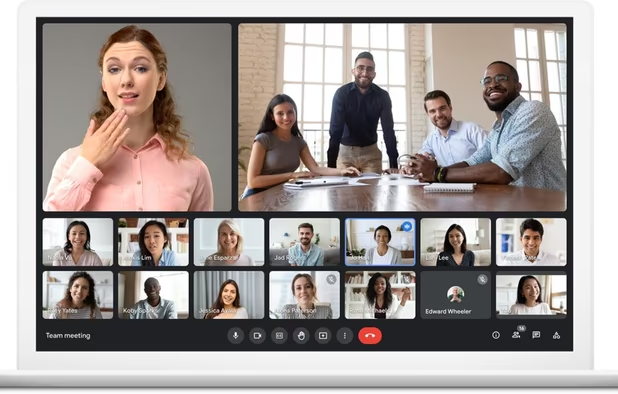
fairmeeting is a powerful video conferencing service that emphasizes ease of use and data privacy. It is a true alternative to Zoom, Teams, WebEx or Skype. Here's a breakdown of its key features:
- Simple to use: No registration or software installation is required to join a fairmeeting conference. You can participate directly through your web browser. Frequent users may install the fairmeeting desktop app.
- Mobile friendly: While there's no dedicated fairmeeting app, you can join conferences on the go using the Jitsi Meet app. Just configure it to use the fairmeeting.net server.
- Privacy focused: fairmeeting prioritizes data privacy. It's GDPR compliant, uses strong encryption, offers full E2EE encryption and avoids cookies.
- Rich features: HD video, screen sharing, chat, voting, shared document space for note taking during conferences, desktop sharing, background image.
- Pro option: Whilst private users may use fairmeeting on a fair-use basis and get shown a donation page after the meeting, professional users should subscribe the pro version with even more features such as breakout-rooms or recording.
- Branding options: For enterprises, fairkom offers customized fairmeeting hosting with your own domain name, company logo, and colors.
Overall, fairmeeting seems like a good option for users who prioritize privacy and simplicity in video conferencing, particularly those in the European Union due to its full GDPR compliance. fairmeeting runs on a scalable kubernetes cluster and can host hundreds of participants in one room. fairmeeting is based on the well known Jitsi meet (however that requires a Google login and is hosted and operated by US companies and thus may not fulfill GDPR requirements).
fairmeeting information
Developed by
 fairkom
 Licensing
Open Source (Apache-2.0) and Free Personal product.Pricing
Subscription that costs up to $99 per month.Alternatives
17 alternatives listedSupported Languages
- English
- German
- Spanish
- Italian
- Portuguese


Comments and Reviews
fairmeeting is the most easy to use yet powerful and reliable video conferencing service. I use it nearly every day for private or business meetings. Strong privacy is guaranteed as it is hosted in the EU.
Can't seem to connect to fairmeeting.net on the app
I like it, it's easy to use, free, open source and there's also a desktop app
fairmeeting is easy to use - perfect for quick meetings with two or more people. Common features such as breakout rooms or the display of an individual background are supported.