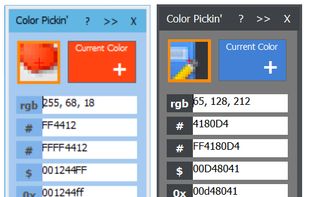
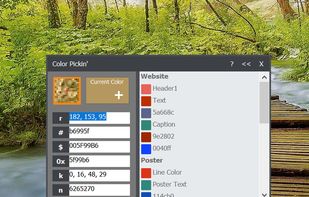
Color Grabber 2.0 is a little Color-Picker-Tool for webdesigners for grabbing color codes (like HTML-Hex, RGB etc.) from the desktop!.


Eyedropper is described as 'This application is geared towards advanced users (developers, designers, etc…), who not only need to pick a color but also modify or view it in different formats. For simply picking a color on Gnome, the color-picker extension is far better suited' and is a Color Picker tool in the photos & graphics category. There are more than 50 alternatives to Eyedropper for a variety of platforms, including Windows, Mac, Linux, Web-based and Flathub apps. The best Eyedropper alternative is gpick, which is both free and Open Source. Other great apps like Eyedropper are Just Color Picker, Coloraccy, Magnifixer and Instant Eyedropper.
Color Grabber 2.0 is a little Color-Picker-Tool for webdesigners for grabbing color codes (like HTML-Hex, RGB etc.) from the desktop!.


ColorAid is a color picker and highlighter, which can be especially useful for the color blind. It lets you point a color on an image (either loaded from file or captured from the screen), and highlights all the areas of the image having that color (or a similar one, according...

Wonderfully intuitive and easy-to-use, Chroma is a free browser extension that makes it easy to pick colors from web pages and build shareable color palettes.


Pick color from screen, in RGB and HTML code formats, easily and quickly!.


Bella is a simple eye dropper and color picker. You can pick color from the screen and save it in any color format.


Eye Dropper allows you to pick color from pallete, by HSV value, RGB value, hex code and a small set of predefined colors.

All-in-one browser extension that replaces 11 developer tools for CSS inspection, color picking, font detection, Tailwind conversion, and more.


ColorSmith is a comprehensive color management and design tool for developers, designers, and digital artists. It provides an intuitive interface to pick colors, create gradients, manage palettes, and convert between multiple color formats with professional-grade precision.


ColorPicker uses the camera or a photo of your iOS device to tell you the color you are pointing at. The free version of this app tells the RGB code only. You can upgrade to full version by InApp-purchase and access further color palettes including RAL and W3C color names, store...


Pick a color from anywhere on your screen and save it in one of the common color formats.