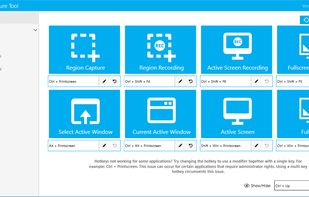
Screenshot organization and smart search, for effortless memory retrieval. Categorized screenshots by keywords, topic, and source -- so that you can find the memory you're looking for.


Evernote Web Clipper is described as 'Save anything you see online - including text, links and images - into your Evernote account with a single click' and is a very popular screenshot capture tool in the photos & graphics category. There are more than 100 alternatives to Evernote Web Clipper for a variety of platforms, including Windows, Web-based, Mac, Google Chrome and iPhone apps. The best Evernote Web Clipper alternative is ShareX, which is both free and Open Source. Other great apps like Evernote Web Clipper are Raindrop.io, Greenshot, wallabag and Karakeep.
Screenshot organization and smart search, for effortless memory retrieval. Categorized screenshots by keywords, topic, and source -- so that you can find the memory you're looking for.


LinkStash is a self-hosted, backend-driven bookmarking and "read it later" solution, empowering you to take full control of your saved links and offline content.


ScreenshotX is a new, lightweight app for Windows for creating beautiful screenshots. It's freeware, it doesn't come with any spyware and you can also share your screenshots without the need to register or any other nonsense.


Screenshot Captor is a program for taking screenshots on your computer. Its different from other screenshot utilis in several notable ways:


CarryLinks is the complete bookmark manager. Easily and privately access and manage your bookmarks from anywhere for free. It is available as a browser extension, website, and progressive web app for mobile devices and tablets.


This is a dead simple bookmarks app that lets you save the links on your device on the go.


The Mercury Reader extension for Chrome removes ads and distractions, leaving only text and images for a clean and consistent reading view on every site.


DoMarks is the to-do app for bookmarks. Add bookmarks. Categorize them. Check them off. Done!


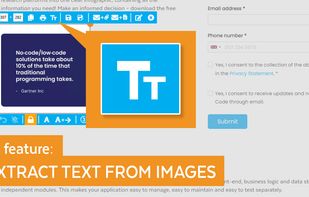
Meet MiniSnip, the smallest and fastest way to capture your screen and extract text with OCR on Windows. Open-source, feather-light, uses minimal resources, and stays completely out of your way.
Just one hotkey (Ctrl+Shift+C) is all you need to start.