





esigna
1 like
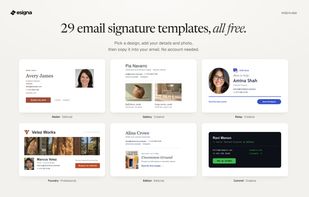
Make an email signature for free from 29 templates and copy it into Gmail, Outlook or Apple Mail, without creating an account.

Cost / License
- Freemium (Pay once)
- Proprietary
Platforms
- Online


Features
esigna News & Activities
Highlights All activities
Recent activities
- Luis-Rodriguez-2055 updated esigna
- Luis-Rodriguez-2055 liked esigna
- Luis-Rodriguez-2055 added esigna
 Luis-Rodriguez-2055 added esigna as alternative to WiseStamp, SyncSignature, NEWOLDSTAMP, SI.GNATU.RE and 3 more

esigna information
Developed by
 Luis Rodriguez
 Licensing
Proprietary and Freemium product.Pricing
One time purchase (perpetual license) that costs $19 + free version with limited functionality.Alternatives
7 alternatives listedBadge
Get an embeddable badge for esignaSupported Languages


No comments or reviews, maybe you want to be first?