EditTextImage changes the words that are already in a finished image, such as a poster, menu, product photo, sign, App Store screenshot or AI-generated picture, without the original design file. You type the text that is there and the text you want; the new words are drawn in the original lettering style, color, perspective and lighting, and the background behind the old letters is rebuilt. There is no font-identification step, so it also works with paid fonts you don't have installed, custom logotypes and hand lettering.
It runs on the web, as an iPhone app, as an Android app and as a Chrome extension, all on one account and one credit balance. The Chrome extension adds "Edit text in this image" to the right-click menu, so an image on a web page opens in a side panel ready to edit. The mobile apps edit pictures from the camera roll and save the results back to the photo library.
Modes:
- Replace: swap a word or a line and keep the original typeface.
- Fix: draw a box around garbled lettering in an AI-generated image (Midjourney, DALL-E, ChatGPT, Stable Diffusion, Flux); only the boxed area is redrawn and pasted back, so the rest of the image is untouched.
- Translate: rewrite all the text in an image into one or more of 20 languages, in the original layout. A batch tool localizes up to 10 App Store screenshots into up to 10 languages at once and returns a ZIP with one folder per locale, at the original pixel size.
- Remove: paint over text and the background behind it is rebuilt.
- Blur and pixelate: hide names and numbers in a screenshot, entirely in the browser, free and without uploading.
It is a narrower tool than a full photo editor such as Adobe Photoshop, Photopea or Canva: it is for changing the text in an image, not for general retouching.
Pricing: the first edit is free after signing in; after that, one-time credit packs with no subscription. The interface is available in English, Spanish, German, French, Portuguese, Russian, Japanese, Korean and Traditional Chinese.
Where it does less well: strong repeating textures behind the letters (brick, woven fabric), text only a few pixels tall, and layout changes such as adding a second line. Edited images come back at about 2K on the long edge.




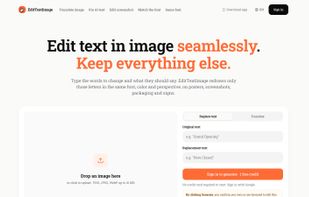


 videotextremover added EditTextImage as alternative to Photopea, Adobe Photoshop and Canva





No comments or reviews, maybe you want to be first?