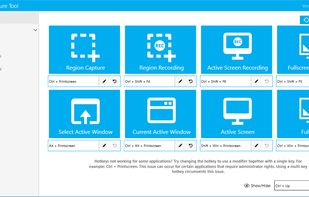
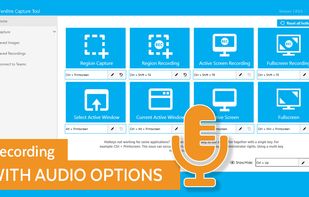
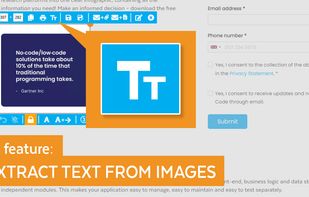
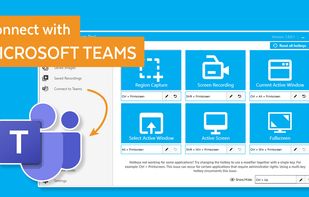
The Fenêtre Capture Tool for making professional screenshots and screen recordings. With advanced functions and abilities that other free capture tools don't offer.


EasyCapture Pro is described as 'Screenshot utility designed for Windows users who need a quick and simple way to take screenshots and save images locally' and is a screenshot capture tool in the photos & graphics category. There are more than 50 alternatives to EasyCapture Pro for a variety of platforms, including Windows, Mac, Linux, Web-based and Snapcraft apps. The best EasyCapture Pro alternative is ShareX, which is both free and Open Source. Other great apps like EasyCapture Pro are Flameshot, Greenshot, Gradia and Ksnip.
The Fenêtre Capture Tool for making professional screenshots and screen recordings. With advanced functions and abilities that other free capture tools don't offer.


Gyazo lets you instantly grab the screen and upload the image to the web. You can easily share on Chat, Social, Email, or anywhere!

puush is a super-quick way to share screenshots and files. Quickly capture any portion of your screen, upload any file, and share them with a short URL automatically placed in your clipboard. Share them with the world or make them private, for your eyes only.


Screenflick features high performance screen capturing for smooth, fluid motion up to 60 fps. Screenflick can record any portion of the screen, simultaneously recording audio from internal or external microphones and the system audio.


Pensela is an screen annotation tool that can also take screenshots available cross-platform.


Leawo Free Screen Recorder is a 100% free screen recorder combo, allowing you to record videos with up to 4K quality from screen, webcam, system sound or/and Microphone.


Hotshots is a screenshot tool with some editing features. It is particularly suitable for writing documentation (as used in the following chapters) but you can use it to highlight some details on a map image or what ever you want.


This application allows you to capture the entire screen, the active window or a selected region. You can set the delay that elapses before the screenshot is taken and the action that will be done with the screenshot: save it to a PNG file, copy it to the clipboard, open it...

Taking screenshots with Shotty is so natural and easy, you just have to try it. Edit them in minimalistic editor and the upload them with one click. Focusing on simplicity and usability, this tool is probably the most intuitive screenshot utility out there.