Easy Screen OCR Alternatives

Easy Screen OCR is described as 'You can use Easy Screen OCR to capture a snapshot and start OCR process. this program will detect the text from the image and start OCR process immediately. You can extract the text to copy and paste in seconds' and is a screenshot capture tool in the photos & graphics category. There are more than 100 alternatives to Easy Screen OCR for a variety of platforms, including Windows, Mac, Linux, Web-based and iPhone apps. The best Easy Screen OCR alternative is Greenshot, which is both free and Open Source. Other great apps like Easy Screen OCR are NAPS2, Tesseract, Snagit and Adobe Acrobat DC.

Copy a direct link to this comment to your clipboard
Easy Screen OCR alternatives page was last updated

Alternatives list

  1. NewOCR.com icon
     4 likes
    Copy a direct link to this comment to your clipboard

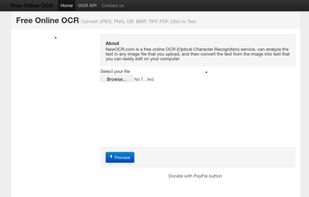
    NewOCR.com is a free online OCR (Optical Character Recognition) service, can analyze the text in any image file that you upload, and then convert the text from the image into text that you can easily edit on your computer..

    75 NewOCR.com alternatives

    Cost / License

    • Free
    • Proprietary

    Platforms

    • Online
     
  2. Copy a direct link to this comment to your clipboard

    An intelligent OCR image text recognition software. Support PDF file recognition, image text recognition, screenshot recognition, ticket recognition, image to Excel and other functions, one-click analysis, efficient recognition.

    Cost / License

    • Free
    • Proprietary

    Platforms

    • Online
     
  3. Free-OCR.com icon
     5 likes
    Copy a direct link to this comment to your clipboard

    Free-OCR.com is a free online OCR (Optical Character Recognition) tool. You can use this service to extract text from any image you supply.

    Cost / License

    • Free
    • Proprietary

    Platforms

    • Online
     
  4. CaptureText icon
     3 likes
    Copy a direct link to this comment to your clipboard

    How often were you in the situation when you needed to save some data but wasnt able to do it because words or figures were protected by some script of just cannot be copied? Well, heres the tool that will help you to avoid all these problems and settle them once and for all.

    Cost / License

    • Paid
    • Proprietary

    Application type

    Platforms

    • Windows
     
  5. FreeKapture icon
     3 likes
    Copy a direct link to this comment to your clipboard

    FreeKapture give you the option to scan from your scanner, and then save the image: its a free Twain image capture application from TSoft that should work on any Windows (98 and on) Twain compliant system.

    Cost / License

    • Free
    • Proprietary

    Application type

    Platforms

    • Windows
     
  6. Copy a direct link to this comment to your clipboard

    Microsoft Office Document Imaging (MODI) is a Microsoft Office application that supports editing documents scanned by Microsoft Office Document Scanning. It was first introduced in Microsoft Office XP and is included in later Office versions including Office 2007.

    Cost / License

    • Free
    • Proprietary

    Alerts

    • Discontinued

    Platforms

    • Windows
     
  7. Copy a direct link to this comment to your clipboard

    Text recognition finally made easy, super efficient and confidential (no server, your data stays on your device). Textify analyzes images, recognizes text, and creates PDF files with the text integrated such that the files are searchable. Or you can simply export to a .txt file.

    Cost / License

    • Free Personal
    • Proprietary

    Platforms

    • Mac
     
  8. WatchOCR icon
     3 likes
    Copy a direct link to this comment to your clipboard

    WatchOCR is an open source OCR server that creates searchable pdfs from images in a watched folder.

    Cost / License

    • Free
    • Open Source

    Platforms

    • Linux
     
  9. Screen OCR icon
     3 likes
    Copy a direct link to this comment to your clipboard

    Screen OCR is a screen capture and character recognition tool. You can use Screen OCR in any way you are most comfortable with. It can be window selection, scrolling capture, simple cursor capture or rectangular selection.

    44 Screen OCR alternatives

    Cost / License

    • Paid
    • Proprietary

    Application type

    Platforms

    • Windows
     
  10. Copy a direct link to this comment to your clipboard

    Free OCR to Word is text recognition software that performs all your tedious retyping and recreating work at lightning speed into Word documents you can edit on your PC or archive in a document repository.

    Cost / License

    • Free
    • Proprietary

    Application type

    Alerts

    • Bundleware

    Platforms

    • Windows
     
  11. YAGF icon
     2 likes
    Copy a direct link to this comment to your clipboard

    YAGF, Yet Another Graphical Front-end for CuneiForm, is a graphical interface for CuneiForm and Tesseract text recognition tools on the Linux platform.

    Cost / License

    • Free
    • Open Source

    Platforms

    • Linux
     
  12. DevTools360 icon
     1 like
    Copy a direct link to this comment to your clipboard

    The swiss knife for your daily use, this website was developed to deliver one source for the most used tools and data conversions.

    Cost / License

    • Free
    • Proprietary

    Platforms

    • Online
    • Software as a Service (SaaS)
     
You are at page 6 of Easy Screen OCR alternatives