EarX icon
EarX icon

EarX

Application with user-friendly GTK interface to control Active Noise Cancellation modes on Nothing wireless earbuds via Bluetooth. Offers High, Transparency, or Off ANC switching, asynchronous Bluetooth handling with bluer and Tokio, open-source, Linux support, no cloud required.
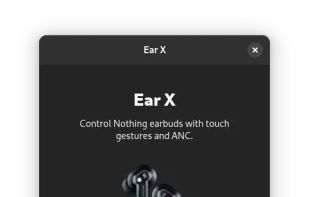
EarX screenshot 1

Cost / License

Application type

Platforms

  • Linux
  • Flathub
  • Flatpak  [https://flathub.org/apps/com.somaxa8.earx](https://flathub.org/apps/com.somaxa8.earx)
1like
0comments
0articles

Features

Properties

  1.  Lightweight
  2.  Privacy focused

Features

  1.  No registration required
  2.  Dark Mode
  3.  Ad-free
  4.  Works Offline
  5.  No Tracking
  6.  Bluetooth Support

EarX News & Activities

Highlights All activities

Recent activities

  • ANCBuddy icon
    denizaytac added EarX as alternative to ANCBuddy
  • Google Pixel Buds icon
    POX added EarX as alternative to Google Pixel Buds
  • BudsLink icon
    OpenSourceSoftware added EarX as alternative to BudsLink
  • winpods icon
    Danilo_Venom added EarX as alternative to winpods
  • ToothFairy icon
    Danilo_Venom added EarX as alternative to ToothFairy
  • Danilo_Venom updated EarX
  • LibrePods icon
    POX added EarX as alternative to LibrePods

EarX information

  • Developed by

    ES flagSilvio Franco
  • Licensing

    Open Source (GPL-3.0) and Free product.
  • Alternatives

    18 alternatives listed
  • Supported Languages

    • English

AlternativeTo Category

Audio & Music

Popular alternatives

View all
EarX was added to AlternativeTo by Paul on and this page was last updated .
No comments or reviews, maybe you want to be first?

What is EarX?

EarX is an application for managing the Active Noise Cancellation (ANC) modes of Nothing ear devices. It allows for easy adjustment of audio experience by connecting to your earbuds via Bluetooth and switching between various ANC settings.

EarX's features include a Graphical User Interface (GUI) built with gtk-rs and Libadwaita, Noise Cancellation Control for setting the ANC mode, and Bluetooth Support using the bluer crate. It also uses Tokio for efficient Asynchronous Execution. The application, though mainly tested on Linux, is cross-platform due to the versatility of Rust and GTK.

Official Links

