
dskDitto icon
dskDitto icon

dskDitto

The ultra-fast, parallel duplicate-file detector with interactive menus that make clearing unnecessary duplicates hassle-free!
dskDitto screenshot 1

Cost / License

Application type

Platforms

  • Mac
  • Linux
  • Windows
  • Go (Programming Language)
12likes
0articles

Features

Properties

  1.  Privacy focused

Features

  1.  Ad-free
  2.  No Tracking
  3.  No registration required
  4.  Works Offline
  5.  Tui
  6. JSON icon  Export to JSON
  7.  File Search
  8.  Duplicate File Finder
  9.  Export to CSV

dskDitto News & Activities

Highlights All activities

Recent activities

  • mooovemaker liked dskDitto
  • meowmiau liked dskDitto
  • primebiometry liked dskDitto
  • Santhaug liked dskDitto
  • Macaco liked dskDitto
  • FedePrescia liked dskDitto
  • sentipulse reviewed dskDitto  

    I like tools that do one job really well, and dskDitto seems to fit that idea. The interactive interface makes duplicate cleanup much less intimidating, and it's nice to see a strong focus on speed and safety instead of simply deleting files automatically.

  • Jorge22 liked dskDitto
  • namdx1987 liked dskDitto
  • ShahidAdnanWali liked dskDitto

dskDitto information

AlternativeTo Categories

File ManagementOS & Utilities

GitHub repository

  •  382 Stars
  •  10 Forks
  •  1 Open Issues
  •   Updated  
View on GitHub

Our users have written 1 comments and reviews about dskDitto, and it has gotten 12 likes

dskDitto was added to AlternativeTo by Paul on and this page was last updated .

Comments and Reviews

   
Top Positive Comment
Viktor Korobov
0

I like tools that do one job really well, and dskDitto seems to fit that idea. The interactive interface makes duplicate cleanup much less intimidating, and it's nice to see a strong focus on speed and safety instead of simply deleting files automatically.

Official Links

What is dskDitto?

The ultra-fast, parallel duplicate-file detector with interactive menus that make clearing unnecessary duplicates hassle-free!

Features:

  • Blazingly fast duplicate scanning — Parallel processing finds duplicates across large disks instantly.
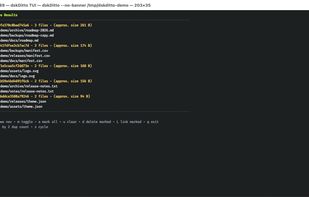
  • Interactive TUI by default — Browse, compare, and manage duplicates with an intuitive terminal interface powered by Bubble Tea.
  • Optional GUI — Use the experimental Raylib GUI for a graphical alternative to the TUI.
  • Safe deletion & symlink conversion — Remove duplicates or replace them with symlinks, with confirmation dialogs to prevent accidents.
  • Smart single-file search — Hash a specific file and instantly find all its duplicates across your filesystem.
  • Flexible hashing — Choose between SHA-256 (default) or BLAKE3 for content verification.
  • Fine-grained filtering — Skip files by size, depth, hidden files, symlinks, virtual filesystems, and filesystem boundaries.
  • Export results — Save findings to CSV, JSON, or plain text for reporting or automation.
  • Unix hard-link aware — Treats hard-linked files intelligently to avoid false duplicates.
