Hashing utility for verifying integrity of files using a wide range of supported algorithms: CRC32, MD2, MD4, MD5, SHA1, SHA256, SHA512, RipeMD128, RipeMD160, ED2K.
Cost / License
- Free Personal
- Proprietary
Platforms
- Windows


drdrHash is described as 'A GUI/Console program to hash text or file, and more' and is a Merge File tool in the file management category. There are more than 25 alternatives to drdrHash for a variety of platforms, including Windows, Mac, Linux, Android and Web-based apps. The best drdrHash alternative is OpenHashTab, which is both free and Open Source. Other great apps like drdrHash are HashTools, fHash, RHash and Hash Checker.
Hashing utility for verifying integrity of files using a wide range of supported algorithms: CRC32, MD2, MD4, MD5, SHA1, SHA256, SHA512, RipeMD128, RipeMD160, ED2K.


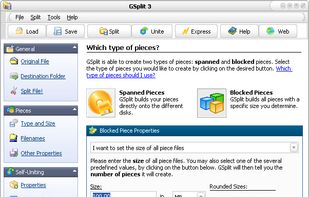
GSplit is a free file splitter that splits any file (like Self-Extracting archives, Zip archives, disk images, multimedia, music, video, backup, image, archive, log, large text, document files...) into smaller files called pieces.


File Splitter is a freeware program which does not require installation and can be used to split files to multiple chunks as well as to merge multiple chunks into a single file


Xtremsplit is a software solution that enables to cut a large file into several smaller parts. It also has the necessary tools to look and create self-extracting file.


SplitFiles goal is to split (chop) big file in smaller segments to be able to store them in floppy disks or CDs (these are just examples, the target size is fully customizable).


Split and merge multiple text or binary files in either character, line, or byte modes. When splitting files, you can split on certain text or binary separator; target given number of parts; or target specific part size. Join files on lines/bytes.


A free software for cutting a large file into pieces then recovering them as the original file, which is suitable for large file distributions and downloads.

Split a file or Concat a group of files by dragging a file on the program icon (in the Dock) or by clicking a button above.