





Dopp
2 likes
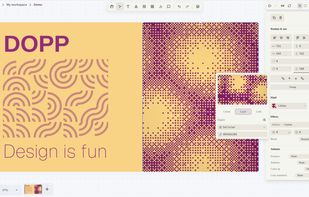
Free, unlimited presentations you build in your browser, present live, share by link, or export offline with speaker notes.

Cost / License
- Freemium (Subscription)
- Proprietary
Application typeApplication types
 EU
Since
- New


Features
Highlights All activities
Dopp News & Activities
Recent activities
As someone who isn't great at design or tech, I find the AI assistant really helpful for rearranging my slides and adding animation and motion. The templates are also a great starting point. It's fairly easy to pick up, but if I'm ever unsure of anything, I just ask the AI to do it for me. The tool offers unique designs that my university lecturers have even picked up on, and as a student, I think the pricing is very fair.
- WillowSmith liked Dopp
- Anina Clarke updated Dopp
- Anina Clarke liked Dopp
- Anina Clarke added Dopp
 Anina Clarke added Dopp as alternative to Slides, Pitch, Figma Slides, Bento Slides and 4 more

Developed by
 FamilyAxis Software Ltd
Licensing
Proprietary and Freemium product.Pricing
Subscription that costs up to $10 per month + free version with limited functionality.Alternatives
8 alternatives listedBadge
Get an embeddable badge for DoppSupported Languages



Comments and Reviews
As someone who isn't great at design or tech, I find the AI assistant really helpful for rearranging my slides and adding animation and motion. The templates are also a great starting point. It's fairly easy to pick up, but if I'm ever unsure of anything, I just ask the AI to do it for me. The tool offers unique designs that my university lecturers have even picked up on, and as a student, I think the pricing is very fair.