


Documents Viewer
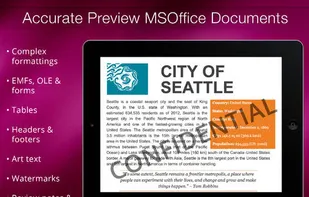
Documents Viewer allows you to preview Word, Excel and Powerpoint documents on iPad as Microsoft Office originally displays them. Documents Viewer gives possibility to open password-protected files, print and convert them to PDF, etc.
Cost / License
- Freemium
- Proprietary
Alerts
- Discontinued
Platforms
- iPad
The app is no longer updated since April 2014 and it's not available on the company website or on the Appstore

Features
- Document Sharing
Tags
- document-converter
- Document Reader
- document-processing
Documents Viewer News & Activities
Recent activities
Documents Viewer information
Developed by
 Nektony
 Licensing
Proprietary and Freemium product.Pricing
free version with limited functionality.Alternatives
63 alternatives listedSupported Languages
- English


What is Documents Viewer?
The most accurate Viewer, Printer & Converter for MS Office Documents! View, Print, Convert to PDF, most complicated Word, Excel and PowerPoint docs on iPad as accurately and properly as on desktop version of MS Office. With the application you can preview vital data hidden in Comment Sections, Headers and Footers, Pages Numbering, i.e. view document as it would be naturally processed by Microsoft Word on Mac or PC. Get 100% document view matching!
Documents Viewer is must have application for people who need to preview their documents without loosing any formatting.
DOCUMENT LOADING Documents Viewer requires internet connection for the first time document is opened, whereupon converted files could be saved to PDF or printed for further online or offline usage.
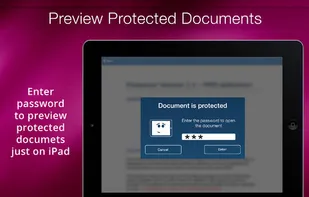
DOCUMENT DISPLAY It is extremely easy to scroll, zoom in/out to any size and navigate through the document's pages. Even if the document is huge, it is still convenient to explore its content in Overview mode, specially designed for such cases. The app opens password-protected Word, Excel and even PowerPoint files.
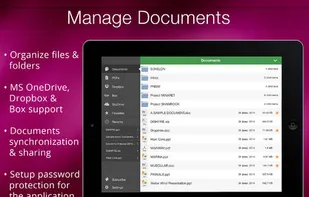
DOCUMENT MANAGEMENT Doc Viewer is utterly simple in file management. Files can be Copied, Moved to Folders, Renamed, Trashed and Sorted by name, date and size. It is also possible to Create and Manage folders and subfolders or Search them. Opened documents are saved in recent section or can be additionally bookmarked.
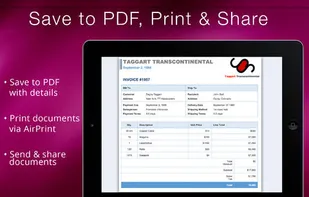
DOCUMENT PRINTING After being processed document could be printed via AirPrint in a way they are displayed on your device. Note: it is possible to select pages range and number of copies.
CLOUD INTEGRATION Doc Viewer could be easily integrated with Dropbox and Box cloud storages from the Application settings. It is possible to set password protection on entrance, so that your data from your storages would remain private.
SUPPORTED FILE FORMATS Current version of Doc Viewer supports .DOC, .DOCX, .XLS, .XLSX, .PPT, .PPTX, .PDF file formats.
Official Links
There are no links for this app, or they've been disabled.