





DocumentDB for VS Code
Like
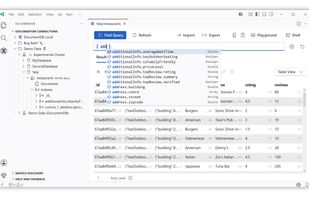
DocumentDB for VS Code is an open source extension that brings DocumentDB and MongoDB development directly into Visual Studio Code. Connect to any MongoDB API database, browse data, run queries, and optimize performance without leaving the editor.

Cost / License
- Free
- Open Source (MIT)
Application type
Platforms
- Windows
- Mac
- Linux


Features
Highlights All activities
DocumentDB for VS Code News & Activities
Recent activities
 finalbyte added DocumentDB for VS Code as alternative to MongoDB Tiny Client
 webendcreator added DocumentDB for VS Code as alternative to DataStudio
 antonio3333lima added DocumentDB for VS Code as alternative to NoSqlStudio
- tnaum-ms added DocumentDB for VS Code
 tnaum-ms added DocumentDB for VS Code as alternative to Studio 3T, NoSQLBooster for MongoDB and MongoDB Compass


Developed by
 Microsoft
 Licensing
Open Source (MIT) and Free product.Written in
Alternatives
6 alternatives listedBadge
Get an embeddable badge for DocumentDB for VS CodeSupported Languages

AlternativeTo Category
DevelopmentGitHub repository
- 28 Stars
- 21 Forks
- 98 Open Issues
- Updated


No comments or reviews, maybe you want to be first?